🔍
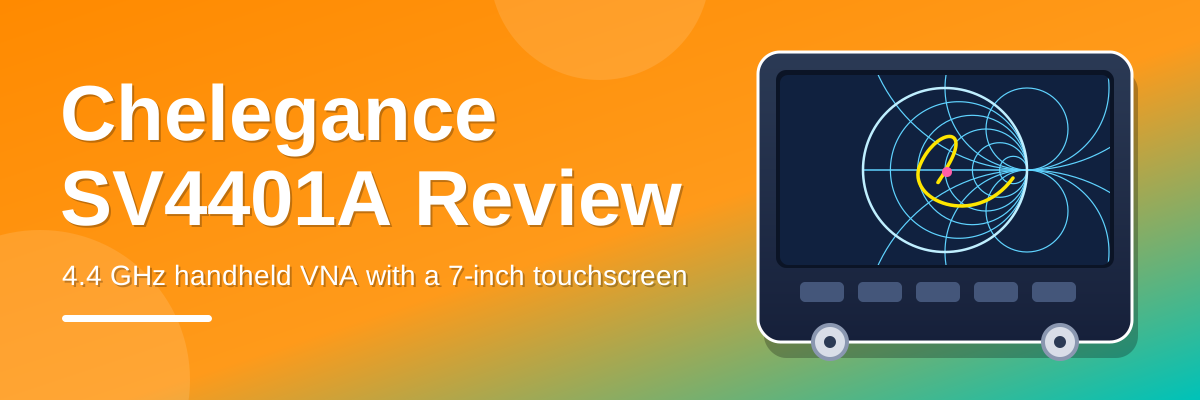
Chelegance SV4401A Review: A 4.4 GHz Handheld VNA With a 7-Inch Touchscreen
Chelegance SV4401A Review: A 4.4 GHz Handheld VNA With a 7-Inch Touchscreen The Chelegance SV4401A is a handheld vector network analyser (VNA). It measures from 50 kHz to 4.4 GHz, has a 7-inch touchsc…

Chelegance SV4401A Review: A 4.4 GHz Handheld VNA With a 7-Inch Touchscreen

The Chelegance SV4401A is a handheld vector network analyser (VNA). It measures from 50 kHz to 4.4 GHz, has a 7-inch touchscreen and two ports, so it can measure both reflection (S11) and transmission (S21). It sits between the pocket-sized NanoVNA type of analyser and the expensive bench instruments.

This review covers what it does, what is in the box, what it costs in the UK, where it is strong and where it is limited, and who it suits. It is based on the manufacturer's published specifications and user manual, the Ham Radio UK listing and the reports I could find from other users. It is not a bench test, so all figures below are the manufacturer's stated figures.

In this review

Quick summary

Item Detail
What it isTwo-port handheld vector network analyser
Frequency range50 kHz to 4.4 GHz
Screen7-inch IPS capacitive touchscreen, 1024 x 600
ConnectorsN-type female, with N to SMA adapters supplied
UK price£329.95 at Ham Radio UK (regular price £349.99)
Good forAntenna tuning, baluns, cable checks, filters and amplifiers, from HF up to 9 cm
Less good forPocket use, 5 GHz work, anything needing lab-grade accuracy

What it does

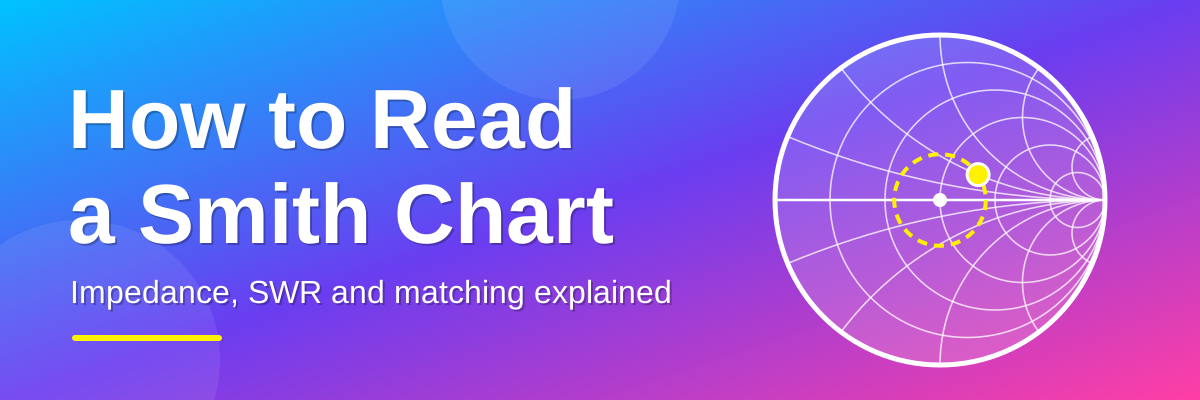
A VNA sends a small test signal into a device and measures what comes back. For an antenna, it tells you the impedance, the SWR and the frequency where the antenna is resonant. The SV4401A shows this in several formats, including a Smith chart, SWR, log magnitude, phase and group delay. If you want to learn to read the Smith chart display, my guide on how to read a Smith chart covers it step by step.

Because it has two ports, you can also measure S21, which is how much signal passes through something. That makes it useful for filters, amplifiers, attenuators and duplexers, as well as antennas. It also has a built-in TDR (time domain reflectometry) function, which can show the length of a cable and the position of a fault.

S11 and S21 explained

You will see S11 and S21 on the analyser's screen and in every VNA review, so here is what they mean. S-parameters describe what happens to a signal when it goes into a device. The two numbers tell you where the signal went in and where it was measured. The first number is the port where it is measured, and the second is the port the signal was sent into.

MeasurementWhat the analyser doesWhat it tells youTypical uses
S11 (reflection)Sends a signal out of port 1 and measures how much comes back to port 1How well the device matches 50 ohms: return loss, SWR and impedance (shown on the Smith chart)Antennas, dummy loads, the input of a filter, balun or amplifier
S21 (transmission)Sends a signal out of port 1 and measures how much arrives at port 2How much signal passes through the device: loss (insertion loss) or gainCables, filters, attenuators, amplifiers, baluns

The SV4401A measures S11 and S21. To measure the other direction (S12 and S22), turn the device under test around and connect it the other way. A Smith chart is a way of displaying S11. S21 is normally shown as a graph of dB against frequency.

Diagram comparing S11, where the signal sent from port 1 is reflected back from an antenna or load, with S21, where the signal passes through a filter, cable or amplifier to port 2

Reading the dB numbers

Both measurements are shown in decibels (dB). For S21, 0 dB means all of the signal passes through. A negative number is a loss, and a positive number is a gain.

S21 readingPower that arrives
0 dB100%
-1 dBabout 79%
-3 dBabout 50%
-6 dBabout 25%
-10 dB10%
-20 dB1%
-40 dB0.01%
-60 dB0.0001%

For S11, the reading is the return loss with a minus sign. The more negative it is, the less signal is reflected and the better the match. A reading of -14 dB is the same thing as an SWR of 1.5:1.

S11 readingEquivalent SWR
-10 dBabout 1.9:1
-14 dBabout 1.5:1
-20 dBabout 1.2:1
-30 dBabout 1.07:1

Before you measure S21

  • Calibrate for transmission. The full calibration is OPEN, SHORT, LOAD and then THRU, where port 1 is joined straight to port 2. This sets 0 dB as the reference. The steps are in the first sweep section below.
  • Know the noise floor. The stated S21 dynamic range is 75 dB below 3 GHz and 60 dB above. Readings near the bottom of that range are mostly noise, so you cannot measure rejection beyond that. A narrower IF bandwidth (selectable down to 30 Hz) lowers the noise floor, but the sweep takes longer.
  • Keep the power low. The input can only take 0 dBm. The analyser's own output is -42 to -12 dBm, which is safe for most parts, but anything that adds gain needs care (see the amplifier example below).
  • Do not move the cables after calibrating. Flexing a test cable changes the result, especially at higher frequencies.

What you can test with it

The usual antenna tests

  • Find the resonant frequency of a wire, dipole, vertical or loop.
  • Check the SWR across a whole band, and see how wide the usable bandwidth is.
  • Read the impedance on the Smith chart to see whether the antenna is too long or too short.
  • Test a feedline and a matching network or ATU before the transmitter is connected.
  • Compare antennas in the same position with the same calibration.

The second port opens up many more jobs. Here are six of them. Each one uses the same idea: put the part between the two ports, and read S21 for what passes through and S11 for how well it matches.

1. Test a balun, unun or matching transformer

A balun or unun (such as the 49:1 transformer on an end-fed antenna) is hard to judge by eye. There are two simple tests.

Impedance test (S11). Connect the 50 ohm side to port 1. Put a resistor of the right value on the other side. For a 1:1 balun use 50 ohms. For 4:1 use 200 ohms. For 9:1 use 450 ohms. For 49:1 use about 2450 ohms. Use a low-inductance resistor with short leads, because a long lead adds reactance and spoils the result. A good transformer shows a low SWR across its working band. If the SWR climbs at the low or high end, you have found the limit of its bandwidth.

Loss test (S21). Connect two identical transformers back to back, with their high-impedance sides joined. Connect port 1 to one input and port 2 to the other. The S21 reading is the loss of both. Divide it by two to get the loss of one. Every 1 dB of loss is about 21% of your power turned into heat.

This is a low-power test. It does not show what happens to a ferrite core at high power, where it can saturate or get hot. It is a very good check for build errors and bandwidth.

Diagram of two balun tests: an impedance test with a 200 ohm resistor on a 4 to 1 balun measured with S11, and a loss test with two identical baluns back to back measured with S21

2. Measure coax loss and find a cable fault

Loss. Connect the cable between port 1 and port 2, using adapters as needed, and read S21 against frequency. Cable loss rises with frequency. Compare the reading with the datasheet for that cable. Much more loss than expected can mean water in the cable, a poor connector or a damaged cable.

Fault location. Connect one end of the cable to port 1 and leave the other end open. Use the built-in TDR function to see the distance to the end of the cable, and to any fault along it, such as a crushed section or a bad join. Enter the velocity factor for your cable first, as a percentage (66 for solid polyethylene coax; check the datasheet for other types). The same method tells you the length of a cable on a drum. The first sweep section below has the steps.

Diagram of a cable loss test with the cable connected between port 1 and port 2, and a fault finding test using TDR with the far end of the cable left open

3. Check a filter

Connect the filter between the two ports. S21 shows the loss in the passband and how much signal is rejected outside it. S11 shows how well the filter is matched in the passband. Use markers to read the -3 dB points, which give you the bandwidth.

This works for low-pass filters on an HF amplifier, band-pass filters for a receiver, notch filters for broadcast interference, 70 cm duplexers and 2.4 GHz filters. Remember that rejection deeper than the noise floor cannot be measured, so a very good filter may show a flat line at the bottom of the screen. Narrowing the IF bandwidth helps.

Example S21 graph of a band-pass filter showing the passband insertion loss, the minus 3 dB bandwidth, the stopband and the noise floor at about minus 75 dB

4. Measure the gain of an amplifier or preamp

With an amplifier between the ports, S21 shows a positive number, which is the gain in dB. You can also check how flat the gain is across the band, and how well the input is matched (S11).

Be careful with power. The analyser can only take 0 dBm at its input. Add the amplifier's gain to the analyser's output level to see what arrives. For example, -12 dBm with a 20 dB gain amplifier gives +8 dBm, which is too much. Set the output to its lowest level (-42 dBm), and put an attenuator, such as 20 dB, after the amplifier to be safe. If the amplifier is powered through the coax, use a DC block, because the input must stay below 5 V DC. A low-power test cannot show how an amplifier behaves near its maximum output.

Diagram of an amplifier gain test, showing minus 12 dBm giving plus 8 dBm at port 2 which is too much, and minus 42 dBm with a 20 dB attenuator giving minus 42 dBm at port 2 which is safe

5. Check attenuators, dummy loads and terminators

Attenuators. A 20 dB attenuator should read close to -20 dB on S21 across its working range, and show a low S11 at both ends. A cheap attenuator that drifts, or reflects badly at higher frequencies, will show it straight away.

Dummy loads and terminators. Connect the load to port 1 and read S11 across the band. A good load stays near a perfect match. A poor one rises in SWR as the frequency goes up. This is worth doing on the loads in your calibration kit and on any dummy load that you use for transmitter tests.

6. Test a common-mode choke or ferrite (advanced)

A common-mode choke stops current flowing on the outside of coax. It is the part that keeps the feedline from becoming part of the antenna. You can measure how well it works with a series test.

  1. Wind the choke as normal and join the centre conductor and the shield together at each end, so that the coax acts as one wire wound on the core.
  2. Connect that wire in series between the centre pins of port 1 and port 2, with a short link joining the grounds of the two ports.
  3. Read S21 across the band. The deeper the dip, the higher the impedance of the choke.
  4. For a rough figure, use impedance in ohms ≈ 100 × (1 ÷ S21 − 1), where S21 is the linear value, not dB.

For example, an S21 of -30 dB is a linear value of 0.0316. That gives 100 × (31.6 − 1), which is about 3000 ohms. Use it to compare chokes, turns counts and core types. It is a guide, not a precision measurement.

Diagram of a common-mode choke test with coax wound on a ferrite core and connected in series between port 1 and port 2, with the rough impedance formula and a worked example

Tips for accurate two-port measurements

  • Calibrate after you set the frequency range, and again if you change the range or the cables.
  • Calibrate with the adapters you will use, so their effect is removed.
  • Tighten the connectors the same way each time.
  • Keep the test leads and any resistors as short as possible.
  • If a result looks wrong, check a known good part first, such as a 20 dB attenuator or a precision 50 ohm load.

Specifications

Specification Stated value
Frequency range50 kHz to 4.4 GHz
Frequency accuracyBetter than ±1 ppm below 140 MHz, better than ±5 kHz above 140 MHz
Dynamic range, S2175 dB below 3 GHz, 60 dB above 3 GHz
Dynamic range, S1150 dB below 3 GHz, 40 dB above 3 GHz
Sweep points101 to 1001
Sweep speed400 points per second above 140 MHz
IF bandwidth12.5 kHz default, selectable down to 30 Hz
Output power-42 dBm to -12 dBm in 1 dB steps
Maximum input power0 dBm, and DC below 5 V
Traces and markers9 traces (4 data, 4 reference, 1 TDR) and 8 markers
CalibrationOpen, short, load kit included, 18 calibration states stored on the memory card
Storage8 GB memory card
BatteryTwo 18650 cells (3.6 V, 3350 mAh each), about 4 hours at 50% brightness
ChargingUSB Type-C, 5 V / 2 A recommended
Size and weight190 x 130 x 30 mm, 1.15 kg, metal case
Operating temperature0 to 45 °C

What is in the box

  • The SV4401A analyser
  • Open, short and load calibration kit
  • Two N-male to SMA-female adapters
  • Two SMA-female to SMA-female connectors and one SMA-male to SMA-male connector
  • A 50 cm RG316 cable
  • A USB Type-C cable
  • A carrying case

Ham Radio UK lists a separate 5.1 V / 3 A USB-C power supply for about £10, and warns that low-power chargers will not work properly with it. The maker also says charging needs a USB-A to USB-C cable, and that a USB-C to USB-C cable may not work. Check this before you buy a charger.

What it costs

The SV4401A is available in the UK from Ham Radio UK.

Price Amount
Special price£329.95
Regular price£349.99

These were the prices on the Ham Radio UK listing on 22 October 2026, and it was showing as in stock. Prices and stock change, so check the current listing before you order.

What it is good at

A big screen

The 7-inch touchscreen is the main reason to choose this over a pocket analyser. A Smith chart with several traces and markers is much easier to read at this size. Touch control and physical buttons are both fitted.

Wide frequency coverage

50 kHz to 4.4 GHz covers all the HF bands, 6 m, 2 m, 70 cm, 23 cm, 13 cm and 9 cm, as well as 2.4 GHz Wi-Fi. That is enough for most amateur antenna and filter work. At the bottom end it also covers the low-frequency bands.

Two ports

S21 measurement lets you test filters, preamplifiers, attenuators and cable loss, not just antennas. The stated S21 dynamic range of 75 dB below 3 GHz is good for checking how well a filter rejects unwanted signals.

N-type connectors

N connectors are sturdier than the SMA sockets fitted to most small analysers, and they handle repeated connecting and disconnecting better. Calibration kit and adapters are included, so you can start measuring straight away.

Stored calibrations and a sensible sweep speed

The analyser stores 18 calibration states on its memory card, so you can keep one for each band or cable setup. At the stated 400 points per second, a full 1001-point sweep above 140 MHz takes around 2.5 seconds.

Software and updates

It works with NanoVNA-Saver and the maker's own PC tools. Firmware is updated over USB. The maker lists several firmware versions on its product page, so check there for the latest.

Where it falls short

  • It is not pocket-sized. At 1.15 kg and 190 x 130 x 30 mm, it is a lot bigger and heavier than a NanoVNA. It is portable, but you would not slip it in a coat pocket.
  • Battery life is about four hours at half brightness. That is fine for a session of antenna tuning with time to recharge, but short for a long portable day. It uses two standard 18650 cells. See the storage section below if you leave it unused for a long time.
  • The dynamic range drops at higher frequencies. S11 falls from 50 dB to 40 dB above 3 GHz, and S21 falls from 75 dB to 60 dB.
  • The output signal is low. The output is -42 to -12 dBm. That keeps measurements gentle on the device under test, but it is a test signal, not a signal generator.
  • It does not reach 5 GHz. 5 GHz Wi-Fi and the 6 cm amateur band are outside its range.
  • The temperature range is 0 to 45 °C. Be careful with use in a cold shed or in direct sun in summer.
  • It is not a lab instrument. A handheld VNA at this price is great for tuning and troubleshooting, but it is not a substitute for calibrated test equipment where traceable accuracy matters.
  • Charging is fussy. You need a suitable 5 V supply and the right cable.

Protect the input

The maximum input is 0 dBm, and the DC level must be below 5 V. That is a very small signal. Never connect the analyser to a live transmitter, and be careful with antennas that can build up static or pick up strong signals from a nearby transmitter. Disconnect the antenna from the radio first, and use a DC block or a discharge step if there is any chance of voltage on the line.

Storing the SV4401A

If you are putting the analyser away for a while, take the two 18650 batteries out first. The battery management system (BMS) in the analyser can slowly discharge them while they are fitted, and over time this can run the cells flat.

If it has already happened, the cells can usually be recovered with a standard 18650 charger. Charge them in the charger, outside the analyser.

  • Remove both cells before long-term storage.
  • Store them in a cool, dry place, away from metal objects that could short the terminals. A small plastic battery case is ideal.
  • Check them every few months and top them up if they have dropped a lot.
  • Do not charge a cell that is swollen, damaged, leaking or hot. Replace it.

Your first sweep: from unboxing to a calibrated antenna reading

This walkthrough takes you from a new analyser to a calibrated antenna reading. It follows the maker's user manual (version 4.0, for firmware 0.7.3), and the example is a 40 m dipole. Menu names can change in later firmware, so if something looks different, check the manual that matches your firmware.

Step 1: Charge it and switch it on

Charge the analyser through the USB Type-C port. The manual recommends a 5 V / 2 A charger, and the maker advises using a USB-A to USB-C cable. Switch it on with the power switch on the side. The battery voltage, level and charging status are shown in the battery area of the main screen.

Step 2: Set the frequency range

Set the range before you calibrate, as the manual advises. Touch the start and stop frequencies on the main screen, or go to STIMULUS → SET FREQUENCY and choose start/stop or centre/span. For a 40 m dipole, use 6.8 MHz to 7.4 MHz.

Then set the number of sweep points by touching the sweep-points area, or go to STIMULUS → SWEEP POINTS. The range is 101 to 1001. More points show more detail but take longer to sweep.

Step 3: Fit the cable and adapters

The supplied calibration kit has SMA open, short and load pieces, and the analyser has N-type sockets, so you need the N to SMA adapters. Fit the test cable, and any adapter you will use to reach your antenna (for example one for a PL259 / SO-239 socket), on port 1. You will calibrate at the end of this cable, so the cable and adapters are removed from the measurement.

Step 4: Calibrate

  1. Touch CAL → CALIBRATE.
  2. Connect the OPEN piece to the end of the cable at port 1 and touch OPEN. A check mark appears on the menu item.
  3. Connect the SHORT piece and touch SHORT.
  4. Connect the LOAD piece and touch LOAD.
  5. If you will measure S21 (filters, baluns, cable loss), connect port 1 and port 2 together with a cable and touch THRU. The manual lists this as part of the full calibration.
  6. Touch DONE. The text "OSLT #*" appears. This means the calibration has been made but not yet saved.

Step 5: Save the calibration

Touch SAVE n to store it in one of the numbered slots, or SAVE FILE to save it as a named file. To load it again later, go to SAVE/RECALL → RECALL → RECALL n (or RECALL FILE). Keep one calibration for each band or cable set-up that you use often. CAL → RESET clears the calibration in memory only, and your saved ones stay on the memory card.

Step 6: Check that the calibration is good

The manual gives a simple check. If any of these look wrong, repeat the calibration.

Connect to port 1What the Smith chart trace should show
Nothing (open)A point at the far right of the chart
The short pieceA point at the far left of the chart
The 50 ohm loadA point at the centre of the chart
Port 1 joined directly to port 2 (S21)A log magnitude trace near 0 dB

Step 7: Choose what to display

Long-press one of the trace control boxes on the right of the screen to open its settings. Set the format, for example Smith R+jX, VSWR or Log Mag, and adjust the scale and reference position in the same menu. Touch a trace box to turn that trace on or off. A good starting point for antenna work is one trace on the Smith chart and one on VSWR.

Step 8: Connect the antenna and place a marker

Connect the antenna. For a dipole, fit a choke at the feedpoint so the outside of the coax does not affect the reading. Then go to MARKER → SELECT MARKER and touch MARKER 1 to turn it on. Drag it along the trace, or touch the frequency in the marker table, to put it at 7.1 MHz. To find the best match automatically, go to MARKER → SEARCH, choose the trace, set MIN on the VSWR trace, and turn TRACKING on.

Step 9: Read the result and adjust

  • A trace that crosses the horizontal line to the left of 7.1 MHz means the antenna is resonant below your target, so it is too long. Shorten it a little.
  • A trace that crosses to the right of 7.1 MHz means it is too short. Lengthen it a little.
  • The nearer the trace passes to the centre of the Smith chart, the better the match at that frequency.
  • Make small changes, sweep again, and keep going until the resonant point sits where you want it.

If the Smith chart readings are new to you, see my guide on how to read a Smith chart.

Bonus: check a cable with TDR

  1. Connect the cable to port 1 and leave the far end open or shorted.
  2. Touch the TDR control box to turn it on. A brown trace appears. TDR works on S11 only.
  3. Long-press the TDR box and enter the velocity factor as a percentage, for example 66 for solid polyethylene coax.
  4. Touch Peak Search, or move a marker to the highest peak. The estimated cable length appears on the screen. Smaller peaks along the way point to faults.

For short cables, reduce the number of sweep points. The manual gives an example: with a 3 GHz span, 501 points reaches about 17.5 m and 101 points reaches about 3.5 m.

Firmware and quality reports

This analyser is also sold under the Sysjoint and JNCRADIO names. In 2022 one user on a NanoVNA forum reported that firmware 0.3.0 broke the S21 charts after calibration on his unit. His workaround was to calibrate on the older firmware and then load the saved calibration. The maker lists newer firmware versions now, and I found no recent reports of the same fault, but it is a good reason to read the release notes before you update and to keep a backup of your calibration files.

Independent measured reviews of this model are limited. There is a video overview by W2AEW that covers the features and the menu layout. If accuracy matters for your work, check a known load, such as a precision 50 ohm terminator, before you trust any reading.

SV4401A or a NanoVNA?

Choose the SV4401A if Choose a NanoVNA type if
You want a large, easy-to-read screen You want something small enough for a pocket or go-bag
You test filters and amplifiers as well as antennas You mainly check antennas and cables
You use microwave bands up to 4.4 GHz You only work on HF and VHF
You use N-type connectors and want them built in You want to spend as little as possible

Verdict

The Chelegance SV4401A is a practical step up for anyone who has outgrown a pocket NanoVNA. The big touchscreen, two ports, N connectors and 4.4 GHz range make it a good all-round bench and field analyser for an amateur radio shack, at about £330 from Ham Radio UK. The trade-offs are size, weight, a four-hour battery and limited independent test data.

If you mainly tune HF and VHF antennas and want something light, a smaller analyser will do the job for less money. If you want to see the Smith chart clearly, check filters and cables, and work up into the microwave bands, this is a strong choice.

Frequently asked questions

What is the SV4401A?
A handheld two-port vector network analyser from Chelegance that measures from 50 kHz to 4.4 GHz.

Is it the same as the Sysjoint SV4401A?
The same model is sold under the Sysjoint, Chelegance and JNCRADIO names.

Can it measure SWR?
Yes. SWR is one of the display formats, alongside the Smith chart, log magnitude, phase and group delay.

Can I use it with a PC?
Yes. It works with NanoVNA-Saver and the maker's own PC software over USB.

Can I test a filter with it?
Yes. The second port allows S21 measurements, which show how a filter passes and rejects signals.

Can I connect it to my transmitter?
No. The maximum input is 0 dBm, so a transmitter would damage it. Always disconnect the antenna from the radio before measuring.

How long does the battery last?
The maker states about four hours at 50% screen brightness.

What is S21?
S21 is the signal that passes through a device from port 1 to port 2. It shows loss for things like cables and filters, and gain for amplifiers.

What is the difference between S11 and S21?
S11 is the signal reflected back from a device and tells you how well it matches. S21 is the signal that passes through and tells you the loss or gain.

Can I test a balun with it?
Yes. Test the impedance transformation with a resistor on the output, and test the loss by connecting two identical baluns back to back and reading S21.

How should I store it?
Take the two 18650 batteries out. The BMS can slowly discharge them while they are fitted, and they can go flat. If that happens, they can usually be recovered with a standard 18650 charger.

Sources


How to Read a Smith Chart
A Smith chart is a graph that shows the impedance of an antenna or any other RF load. It is the default display on a NanoVNA and most antenna analysers. This guide explains what the chart shows, how t…

A Smith chart is a graph that shows the impedance of an antenna or any other RF load. It is the default display on a NanoVNA and most antenna analysers. This guide explains what the chart shows, how to find a value on it, and how to use it to read SWR and fix a mismatch. It ends with two worked examples: checking a wire antenna and choosing the right matching transformer for an end-fed wire.

Quick reference

If you already have a reading, this table tells you what it means and what to do. The rest of the post explains why.

Where the point or trace isWhat it meansWhat to do
Near the centreGood match, low SWRNothing needed
On the horizontal line, right of centreResistance above 50 ohms, no reactanceUse a matching network or transformer that steps the impedance down
On the horizontal line, left of centreResistance below 50 ohms, no reactanceUse a matching network that steps the impedance up
Upper halfInductive. The antenna is too long, or you are measuring above its resonant frequencyShorten the antenna, or add series capacitance
Lower halfCapacitive. The antenna is too short, or you are measuring below its resonant frequencyLengthen the antenna, or add series inductance
Near the outer edgePoor match. Most of the power is reflectedCheck connections, cable and antenna first

Look out for the grey boxes. A Newcomer tip explains the basics. A Pro note goes deeper. A Try it yourself box lets you practise at Beginner or Advanced level. Click "Show the answer" to check your result.

Step 1: Know what impedance is

Impedance has two parts:

  • Resistance (R) is measured in ohms. For a good match to a 50 ohm radio, you want this to be 50.
  • Reactance (X) is also in ohms and is written with a "j", like j25 or -j25. You want this to be 0. A positive value (+j) is inductive. A negative value (-j) is capacitive.

An impedance is written as R plus or minus jX. For example, 75 + j25 means 75 ohms of resistance and 25 ohms of inductive reactance. The ideal result for a 50 ohm system is 50 + j0.

The Smith chart plots both numbers at once as a single point.

Newcomer tip

You do not need to do any sums yourself. Your analyser works out the resistance and reactance for you. The Smith chart is just a way of drawing those two numbers as a single point on a picture.

Step 2: Understand the numbers on the chart

The numbers printed on a Smith chart are not in ohms. They are divided by 50, so they are multiples of 50 ohms. This is called normalising.

Chart number Real value
0.5 25 ohms
1 50 ohms
2 100 ohms
5 250 ohms

To convert your own impedance, divide both the resistance and the reactance by 50. So 75 + j25 becomes 1.5 + j0.5.

Step 3: Learn the layout

Smith chart layout showing the centre as a perfect match, short circuit on the left, open circuit on the right, inductive in the upper half and capacitive in the lower half

Where on the chart What it means
Centre Perfect match. 50 ohms, no reactance, SWR 1:1.
Far left Short circuit (0 ohms).
Far right Open circuit (infinite resistance).
Upper half Inductive (+jX). The antenna is electrically too long, or you are measuring above its resonant frequency.
Lower half Capacitive (-jX). The antenna is electrically too short, or you are measuring below its resonant frequency.
Horizontal line through the middle Zero reactance. Any point on this line is purely resistive.

The closer a point is to the centre, the better the match. The closer it is to the outer edge, the worse the match.

Pro note

The distance of a point from the centre is the size of the reflection coefficient, written |Γ|. At the centre it is 0 (nothing is reflected). At the outer edge it is 1 (everything is reflected). The angle of the point around the chart is the phase of the reflection.

Step 4: Read the circles and arcs

The grid is made of two sets of lines:

  • Circles show resistance. Each circle has one value of resistance all the way round it. The value is printed where the circle crosses the horizontal line. The circle that passes through the centre is 1 (50 ohms).
  • Arcs show reactance. Each arc has one value of reactance along its length. The values are printed around the outer edge. Arcs in the upper half are positive (inductive). Arcs in the lower half are negative (capacitive).

To plot an impedance, find the circle for the resistance and the arc for the reactance. The point where they cross is your impedance.

Try it yourself: Beginner

Plot 100 + j0 ohms on a 50 ohm system. Divide by 50 first. Where does the point sit on the chart?

Show the answer

100 ÷ 50 = 2, so the point is 2 + j0. It sits on the horizontal line at the 2 mark, to the right of the centre. There is no reactance, so it is purely resistive.

Step 5: Worked example

We will use this reading as the example: an analyser shows an antenna at 75 + j25 ohms on a 50 ohm system.

What does that sentence mean?

Part of the sentenceWhat it meansIn plain English
An analyserAn antenna analyser or NanoVNA. It sends a small RF signal into the antenna and measures what comes back.The meter that gives you the numbers.
75The resistance (R), in ohms. This is the useful part of the load. Power sent into it is either radiated as radio waves or turned into heat.The part that uses the power.
+ j25The reactance (X), in ohms. The "j" marks it as reactance, which stores energy instead of using it. Engineers write j instead of i because i is already used for current. A plus sign means inductive (it behaves like a coil). A minus sign means capacitive.An unwanted extra that makes the match worse. Here it is 25 ohms of coil-like reactance.
ohmsThe unit for resistance and reactance.
On a 50 ohm systemThe radio, the coax and the analyser are all designed for 50 ohms. This is the reference value the antenna is judged against.The target. A perfect antenna would read 50 + j0.

What is the reading telling us?

  • The resistance is 75 ohms, not 50, and the reactance is 25 ohms, not 0. The antenna is not a perfect match.
  • Because of the mismatch, some of the signal is reflected back towards the radio. The SWR works out at about 1.8:1. That means about 8% of the power is reflected and about 92% reaches the antenna. This is fine for most radios, which are usually happy up to about 2:1.
  • The reactance is positive (+j), so the antenna is slightly inductive. It is a little too long, or you are measuring just above its resonant frequency.
  • The aim is to get the reading closer to 50 + j0. The Smith chart shows where the reading sits and which way to move it.

For the technically minded: an impedance written as R + jX is a complex number, Z. The reflection coefficient is Γ = (Z − Z0) ÷ (Z + Z0), where Z0 is the 50 ohm reference. For 75 + j25 this gives a magnitude of about 0.28. SWR is (1 + |Γ|) ÷ (1 − |Γ|), which is about 1.77, and the return loss is about 11 dB. A Smith chart is simply a plot of Γ, drawn so that you can read resistance and reactance off the grid.

Now we plot it on the chart:

  1. Divide by 50 to normalise: 75 ÷ 50 = 1.5 and 25 ÷ 50 = 0.5. The point is 1.5 + j0.5.
  2. Find the circle for 1.5. It crosses the horizontal line just to the right of the centre.
  3. Find the arc for +0.5. It is in the upper half of the chart.
  4. Mark the point where that circle and that arc cross. This is point A in the picture below.
  5. The point is in the upper half, so the antenna is slightly inductive. It is a little too long, or you are measuring just above its resonant frequency.

Step 6: Find the SWR

Smith chart showing the point 75 plus j25 ohms, its dashed SWR circle crossing the axis at about 1.8, and the point moving round the circle after 0.1 wavelength of coax

  1. Draw a circle centred on the middle of the chart that passes through your point. This is the SWR circle (the dashed red circle in the picture).
  2. Look at where the circle crosses the horizontal line on the right-hand side.
  3. Read the resistance value at that crossing. That number is the SWR.

For our example the circle crosses at about 1.8, so the SWR is about 1.8:1. A smaller circle means a lower SWR. A circle that reaches the outer edge means a very high SWR.

What does the SWR mean in practice?

SWR tells you how much of the transmitted power is reflected back from the antenna. This table gives some common values.

SWRPower reflectedReturn loss
1.2:1about 1%about 21 dB
1.5:14%about 14 dB
2:111%about 9.5 dB
3:125%6 dB
5:144%about 3.5 dB

Newcomer tip

SWR only tells you how well the antenna matches the radio. It does not tell you how well the antenna radiates. A dummy load has a perfect SWR and radiates nothing.

Try it yourself: Beginner

A point sits on the horizontal line at the 3 mark, to the right of the centre. What is the SWR?

Show the answer

The SWR circle through that point crosses the right-hand side of the horizontal line at the same place, so the SWR is 3:1. On a 50 ohm system the point is 150 ohms.

Try it yourself: Advanced

Calculate the SWR for 50 + j50 ohms without using the chart. Use Γ = (Z − Z0) ÷ (Z + Z0).

Show the answer

Z − Z0 = j50 and Z + Z0 = 100 + j50. The magnitude of j50 is 50. The magnitude of 100 + j50 is the square root of (100² + 50²), which is the square root of 12500, or 111.8. So |Γ| = 50 ÷ 111.8 = 0.447. SWR = (1 + 0.447) ÷ (1 − 0.447) = 2.62:1.

Step 7: Understand what cable length does

The outer edge of the chart has a scale in wavelengths. It shows what happens when you add or remove cable between the analyser and the antenna.

  • Adding cable moves the point clockwise around the SWR circle. This is moving towards the radio.
  • Removing cable moves the point anticlockwise. This is moving towards the antenna.
  • One full lap of the chart is half a wavelength of cable.

The SWR stays the same (ignoring cable loss) because the point stays on the same circle. But the resistance and reactance change. In our example, 0.1 of a wavelength of coax moves the point from 75 + j25 to about 72 - j27 ohms (point B in the picture). The antenna has not changed, but the impedance you measure at the radio end looks different.

This is why it is best to calibrate your analyser at the antenna end of the cable if you want to see the true impedance of the antenna.

Pro note

Real cable has loss, so the point does not stay on exactly the same circle. It spirals slowly towards the centre as the cable gets longer. A long run of lossy coax can therefore make an antenna look better matched than it really is. The wavelength scale also refers to wavelength inside the cable, which is shorter than in free air by the cable's velocity factor (about 0.66 for solid polyethylene coax such as RG-58).

Try it yourself: Beginner

You add some cable between the analyser and the antenna. Which way does the point move round the chart, and what happens to the SWR?

Show the answer

The point moves clockwise round the SWR circle, towards the radio. The SWR stays the same (ignoring cable loss), but the resistance and reactance readings change.

Try it yourself: Advanced

A purely resistive load of 100 ohms is connected to a quarter wavelength of 50 ohm coax. What impedance does the analyser see at the other end?

Show the answer

A quarter wavelength is half a lap of the chart, so the point moves to the opposite side of the centre: from 2 + j0 to 0.5 + j0, which is 25 ohms. The sums agree: 50 × 50 ÷ 100 = 25 ohms. The SWR is still 2:1 because the point stays on the same circle (ignoring cable loss and velocity factor).

Step 8: Use the chart to fix a mismatch

Smith chart showing a series inductor moving a point clockwise along its resistance circle and a series capacitor moving it anticlockwise to the centre

To match an antenna you need to move the point to the centre. Adding a component moves the point in a set direction:

  • A series inductor moves the point clockwise along its resistance circle (upwards).
  • A series capacitor moves the point anticlockwise along its resistance circle (downwards).
  • Shunt (parallel) components work the same way but on a different set of circles, which are the same chart turned around by half a turn.

In the picture, the start point is 1 + j1 (50 + j50 ohms). A series capacitor of the right size cancels the +j50 and moves the point straight to the centre. That is a perfect match. Most real matching networks, such as an L-network, use two moves like this: the first moves the point onto the 1 circle, and the second slides it to the centre.

Newcomer tip

Always make the antenna itself resonant first by adjusting its length. Only add a matching network afterwards, if the resistance at resonance is still not close to 50 ohms.

Try it yourself: Beginner

A reading of 50 - j50 sits in the lower half of the chart. Do you add a series inductor or a series capacitor to move it to the centre?

Show the answer

A series inductor. The reading is capacitive (-j50). A series inductor adds +j, which moves the point up along its resistance circle to the centre.

Try it yourself: Advanced

What size inductor has +j50 ohms of reactance at 7.1 MHz? And what size capacitor would you need to cancel +j50 instead?

Show the answer

Inductor: L = X ÷ (2πf) = 50 ÷ (2 × π × 7,100,000) = about 1.12 µH. Capacitor: C = 1 ÷ (2πfX) = about 448 pF.

Reading a NanoVNA trace

A NanoVNA does not show a single point. It sweeps across a range of frequencies and draws a line, called a trace, with a point for each frequency. Use these rules to read it:

  • Where the trace crosses the horizontal line, reactance is zero. That is the resonant frequency.
  • A trace that stays in the upper half means the antenna is too long. Shorten it.
  • A trace that stays in the lower half means the antenna is too short. Lengthen it.
  • The nearer the trace passes to the centre, the better the match at that frequency.
  • A large trace that stays near the outer edge usually means a poor match, a bad connection or a cable fault.

Always calibrate (open, short, load) over the frequency range you are measuring before you start. A bad calibration gives wrong readings.

Example 1: Check a wire antenna with a NanoVNA

A Smith chart can show the impedance of a wire antenna and tell you whether to make it longer or shorter. This example uses a 40 m dipole.

Setup

  1. Set the sweep to cover the band, for example 6.8 to 7.4 MHz, and choose the Smith chart display.
  2. Calibrate (open, short, load) on the end of the cable that will connect to the antenna. This puts the reference point at the feedpoint, so the readings show the antenna and not the cable.
  3. Connect the coax to the dipole feedpoint and the other end to the CH0 port. Fit a balun or choke at the feedpoint. Without one, current on the outside of the coax shield gives wrong readings.
  4. Run the sweep and put a marker on the frequency you care about, for example 7.1 MHz.
  5. Read the marker. It shows the resistance, the reactance and the SWR.

A single bare wire has no fixed impedance on its own. The impedance depends on what the wire is fed against, such as the other half of a dipole, a counterpoise or the ground.

Reading the result

Say the marker shows 62 - j18 at 7.1 MHz.

  • Divide by 50 to normalise: 62 ÷ 50 = 1.24 and 18 ÷ 50 = 0.36. The point is 1.24 - j0.36.
  • The point is just right of the centre and in the lower half. Lower half means capacitive, so the wire is a little too short.
  • The SWR is about 1.5:1.

Make each leg of the dipole slightly longer and sweep again. The trace moves up towards the horizontal line and then towards the centre. Keep adjusting until the trace crosses the horizontal line at the frequency you want.

Example 2: Choose the right matching transformer for an end-fed wire

Why an end-fed half-wave needs a transformer

An end-fed half-wave (EFHW) wire is fed at one end. The end of a half-wave wire is a point of high voltage and very low current, and impedance is voltage divided by current. So the impedance at that end is very high, usually somewhere between 2000 and 4000 ohms. A 50 ohm radio cannot drive that directly. A transformer at the feedpoint steps the high impedance down to about 50 ohms.

Transformer ratios

The ratio on a transformer, such as 49:1, is an impedance ratio. Multiply it by 50 to get the impedance it matches.

RatioMatches a wire impedance of aboutNotes
49:12450 ohmsThe most common starting point
56:12800 ohms
64:13200 ohms
81:14050 ohms

Setup

  1. Cut the wire to about a half wavelength for the lowest band you want. For 40 m that is roughly 20 m.
  2. Fit the transformer at the feed end. Add a short counterpoise wire on its ground side and a choke on the coax.
  3. Hang the wire in the position where it will be used. Height and nearby objects change the impedance, so measure it in place.
  4. Calibrate the NanoVNA at the transformer's 50 ohm connector and connect the transformer to CH0.
  5. Sweep the band with the Smith chart display.

Reading the result

The resistance you read on the 50 ohm side is the wire impedance divided by the transformer ratio. Find where the trace crosses the horizontal line and see which side of the centre it is on.

Where the trace crosses the horizontal lineWhat it meansWhat to try
Right of centre (above 50 ohms)The wire impedance is higher than the transformer expectsA higher ratio, for example 64:1 instead of 49:1
At or near the centreThe ratio is rightNo change
Left of centre (below 50 ohms)The wire impedance is lower than the transformer expectsA lower ratio, for example 36:1 or 42:1

For example, if the wire is really 4000 ohms and you use a 49:1 transformer, the analyser reads 4000 ÷ 49, which is about 82 ohms. That is right of centre, so a 64:1 transformer (4000 ÷ 64 = 62.5 ohms) is a better choice.

Also check the frequency. If the crossing is at the wrong frequency, change the wire length. Shortening the wire moves the crossing up in frequency. Lengthening it moves the crossing down.

This method only applies to a half-wave wire. A random length of wire that is not resonant is usually fed with a 9:1 transformer and an antenna tuner instead.

Try it yourself: Beginner

With a 49:1 transformer, an end-fed wire reads 82 ohms where the trace crosses the horizontal line. Is that left or right of centre, and what should you try?

Show the answer

82 ohms is above 50, so it is right of centre. The wire impedance is higher than the transformer expects, so try a higher ratio, such as 64:1.

Try it yourself: Advanced

With a 49:1 transformer the analyser reads 36 ohms at the crossing. What is the wire impedance, and which ratio fits best?

Show the answer

Multiply the reading by the ratio: 36 × 49 = 1764 ohms. Divide by 50 to get the ideal ratio: 1764 ÷ 50 = 35.3, so a 36:1 transformer (1800 ohms) is the closest fit.

Common mistakes

  • Not calibrating, or calibrating over the wrong range. Calibrate (open, short, load) across the frequency range you are about to sweep.
  • Calibrating at the analyser instead of at the antenna end of the cable. Any cable between the calibration point and the antenna rotates the point round the chart and hides the true impedance.
  • No choke at the feedpoint. Current on the outside of the coax makes the cable part of the antenna. The reading then changes when you touch or move the cable.
  • Measuring at one frequency only. Sweep the whole band so you can see where the antenna is resonant.
  • Measuring in the wrong place. Height and nearby objects change the impedance, so measure with the antenna in its final position.
  • Reading the chart numbers as ohms. The numbers are multiples of 50 ohms. A circle labelled 2 is 100 ohms.
  • Judging an antenna by SWR alone. A low SWR means a good match. It does not mean a good antenna.

Practice readings

Here are four readings on a 50 ohm system. Work out where each one sits on the chart before you look at the answers in the other columns.

ReadingNormalisedWhere it sitsSWRWhat it means
25 + j00.5 + j0On the horizontal line, left of centre2.0:1Purely resistive. The resistance is half of 50 ohms.
100 + j02 + j0On the horizontal line, right of centre2.0:1Purely resistive. The resistance is double 50 ohms.
50 + j501 + j1Upper half, on the circle that passes through the centre2.6:1Inductive. A series capacitor with -j50 ohms of reactance moves it to the centre.
50 - j501 - j1Lower half, on the circle that passes through the centre2.6:1Capacitive. A series inductor with +j50 ohms of reactance moves it to the centre.

Summary

  • The centre is a perfect 50 ohm match. The further from the centre, the worse the match.
  • Upper half is inductive (too long). Lower half is capacitive (too short).
  • Circles show resistance. Arcs show reactance.
  • Draw a circle centred on the middle through your point. Where it crosses the right-hand side of the horizontal line is the SWR.
  • Adding cable turns the point clockwise around that circle.
  • A series inductor moves the point up. A series capacitor moves it down.
  • To check a wire antenna, calibrate at the feedpoint, sweep the band and read the marker. Lower half means too short. Upper half means too long.
  • For an end-fed half-wave, start with a 49:1 transformer. If the trace crosses right of centre, try a higher ratio. If it crosses left of centre, try a lower one.

Frequently asked questions

What does the "j" mean?
It marks the reactance part of an impedance. It is the engineering symbol for the imaginary unit. Engineers use j instead of i because i is used for current.

What is a good SWR?
Below 1.5:1 is very good. Below 2:1 is fine for most radios. The right answer depends on your transmitter, so check its manual.

Does a low SWR mean I have a good antenna?
No. SWR only shows how well the antenna matches the radio. A dummy load has a perfect SWR and does not radiate.

Why does my reading change when I change the cable?
Cable length rotates the point round the chart. Calibrate at the antenna end of the cable, and fit a choke so the outside of the coax does not become part of the antenna.

Why do I need to calibrate?
Calibration removes the effect of the analyser's own cables and connectors, so the reading shows only the antenna.

Can I use a Smith chart for something other than antennas?
Yes. It works for any RF load, including filters, amplifiers and cables.

What if my system is not 50 ohms?
The chart works the same way. Divide by the system impedance instead. For a 75 ohm system, divide by 75, so 75 ohms becomes 1 and the centre is still a perfect match.

Glossary

The terms are grouped from the basics to the more advanced. Everything here is used somewhere in this post.

The basics

TermMeaning
OhmThe unit of resistance, reactance and impedance. Written with the symbol Ω.
FrequencyHow many times per second a signal repeats. Measured in hertz (Hz). 7.1 MHz is 7,100,000 cycles per second.
WavelengthThe distance a radio wave travels in one cycle. In free space it is about 300 divided by the frequency in MHz, in metres.
Impedance (Z)The total opposition a circuit or antenna presents to an RF signal. It has a resistance part and a reactance part. Measured in ohms.
Resistance (R)The part of the impedance that uses up power, either by radiating it or by turning it into heat.
Reactance (X)The part of the impedance that stores energy instead of using it. Positive is inductive. Negative is capacitive.
jThe symbol that marks the reactance part of an impedance. It is the imaginary unit. Engineers use j instead of i because i is used for current.
InductiveBehaving like a coil. Shown as +jX, in the upper half of the chart.
CapacitiveBehaving like a capacitor. Shown as -jX, in the lower half of the chart.
ResonanceThe frequency where the reactance is zero and the antenna looks purely resistive.
Characteristic impedance (Z0)The impedance the radio, cable and analyser are designed for. Usually 50 ohms.
NormalisedDivided by Z0. This is why the chart numbers are multiples of 50 ohms.

Measuring and matching

TermMeaning
Smith chartA graph that plots impedance as a point, with a grid that shows resistance and reactance.
VNAVector network analyser. An instrument such as the NanoVNA that measures impedance across a range of frequencies.
SweepMeasuring across a range of frequencies, for example the whole 40 m band.
TraceThe line the analyser draws to show the measurements across a sweep.
MarkerA cursor you place on the trace to read the exact values at one frequency.
Calibration (open, short, load)Measuring three known standards so the analyser can remove errors from its cables and connectors.
SWRStanding wave ratio. A measure of how well the load matches the system. 1:1 is a perfect match.
Reflection coefficient (Γ)The fraction of the signal that is reflected from the load. 0 is no reflection and 1 is total reflection.
Return lossHow much weaker the reflected signal is than the signal sent, in dB. A higher number is better.
BandwidthThe range of frequencies over which the SWR stays at an acceptable level.
FeedpointThe place where the feedline connects to the antenna.
FeedlineThe cable that carries the signal between the radio and the antenna, usually coax.
BalunA device at the feedpoint that connects a balanced antenna, such as a dipole, to unbalanced coax.
ChokeA device that stops current flowing on the outside of the coax shield.
CounterpoiseA wire that acts as the ground side of an antenna such as an end-fed wire.
Transformer ratioThe impedance ratio of a matching transformer, for example 49:1. Multiply it by 50 to get the impedance it matches.
EFHWEnd-fed half-wave. A wire about half a wavelength long, fed at one end through a high-ratio transformer.
ATUAntenna tuning unit. An adjustable matching network that makes the radio see 50 ohms. It does not change the antenna's own impedance.
L-networkA simple matching circuit made of two parts, one in series and one in parallel (shunt).

Going deeper

TermMeaning
Mismatch lossThe power lost because of reflection, in dB. At 2:1 SWR it is about 0.5 dB.
Standing waveThe pattern of voltage and current along the feedline caused by the forward and reflected signals combining.
Electrical lengthThe length of a cable or antenna measured in wavelengths, taking velocity factor into account.
Velocity factorHow much slower a signal travels in a cable than in free air. About 0.66 for solid polyethylene coax.
Quarter-wave transformerA quarter wavelength of line that transforms an impedance. For a line of impedance Zc, the input impedance is Zc² divided by the load impedance.
Admittance (Y)The reciprocal of impedance (1 ÷ Z). Used for parallel (shunt) parts. Measured in siemens.
Conductance (G)The real part of admittance. It is the reciprocal of resistance for a purely resistive load.
Susceptance (B)The imaginary part of admittance.
Common-mode currentCurrent that flows on the outside of the coax shield instead of inside the cable. It makes the coax part of the antenna and upsets measurements.
UnunAn unbalanced-to-unbalanced transformer. The 49:1 transformer used on an end-fed wire is technically an unun.

10 Ways to Shorten an Antenna (Without Killing Your Signal)
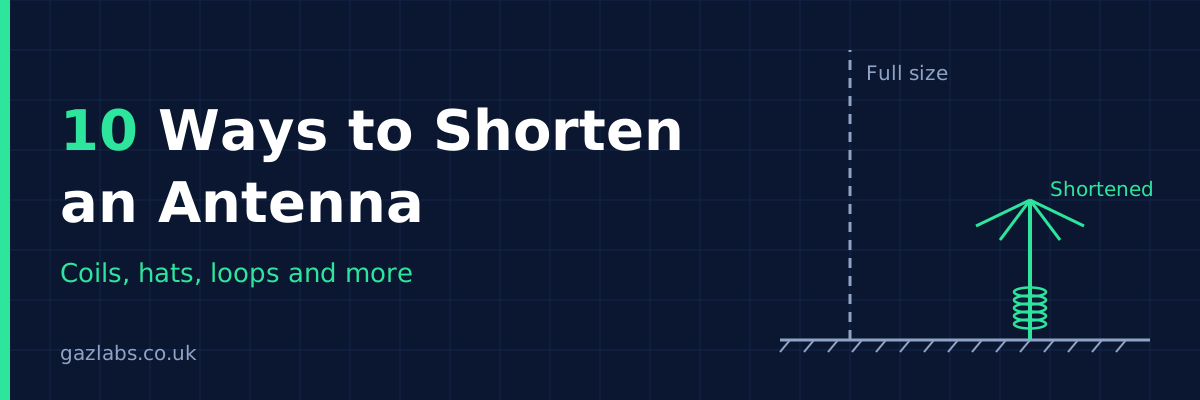
A full-size half-wave dipole on 80m is about 40 metres end to end. Most of us don't have a 40 metre garden, and even on 20m you can run out of room on a balcony, a loft or a campsite. The good news is…

A full-size half-wave dipole on 80m is about 40 metres end to end. Most of us don't have a 40 metre garden, and even on 20m you can run out of room on a balcony, a loft or a campsite. The good news is that an antenna doesn't have to be physically full length to work. It has to be electrically full length, and there are plenty of ways to cheat.

Here are ten ways to shorten an antenna, roughly in the order I'd try them. One honest warning first: every one of these costs you something. Usually it's efficiency or bandwidth, sometimes both. A short antenna that's on the air beats a perfect one that never got built, but go in with your eyes open.

1. Base loading coil

Put a coil at the bottom of a vertical. The inductance cancels the capacitive reactance of the short radiator, so the antenna looks resonant even though it's physically short. It's the easiest method, it's easy to tune, and it's how most mobile whips work. The downside is that current is highest at the base, where the coil is, so the radiating part of the antenna isn't doing much of the work. Efficiency is the price.

Vertical whip with a loading coil at the baseGround (radials or earth)WhipLoading coilFeed

2. Centre loading coil

Move the coil up to the middle of the element. Now more of the antenna carries useful current above and below the coil, so it radiates better than a base-loaded version of the same length. The coil needs a bit more care because it sits mid-air and has to cope with wind and weight, but it's the classic compromise for shortened dipoles and verticals.

Vertical whip with a loading coil in the middleGround (radials or earth)WhipCoil in the middle

3. Top loading

Put the coil near the tip. This gives the best radiation of the three coil positions, because current stays high along most of the antenna. The catch is that it needs a bigger coil for the same shortening, and the weight sits at the worst place for mechanical stability.

Vertical whip with a loading coil near the topGround (radials or earth)WhipCoil near the tip

4. Capacity hat (top hat)

Add a set of wires or a disc at the top of a vertical. This adds capacitance at the tip, which makes the antenna behave as if it were longer, and it improves the current distribution along the radiator. Combine it with a coil and you get a surprisingly effective short vertical. A few spokes of wire pointing outward are enough, and they can droop down if you're short of height.

Vertical whip with a capacity hat of drooping wire spokes at the top and a small coil at the baseGround (radials or earth)Capacity hat: 4 spokes of wireWhipSmall coil

5. Droop the ends or use an inverted-V

The cheapest shortening trick there is. Instead of a flat dipole, hang the centre from a mast and let the legs slope down. The span shrinks, you only need one support, and the impedance drops close to 50 ohms, which is handy. You lose a little gain and the pattern becomes less directional, but for most people it's a good trade.

Inverted-V dipole with the feed point on a mast and the legs sloping downGround (radials or earth)Feed pointAngle at the top: 90 to 120°10.2 m per leg

6. Linear loading (fold the ends back)

Instead of a coil, run the wire out, then fold it back on itself, either along the same line or hanging back down. No coil means no coil losses, and it's very easy to build from wire and spacers. It does take a bit of trimming to get right, and the folded sections slightly reduce the effective radiating length, but it's a great option when you can't hide a coil.

Dipole with the ends of each leg folded back along themselvesFeedFold the end backFold the end backWire folded back along itself,held 100 to 150 mm away by spacers

7. Meander or zigzag the wire

Take a long element and bend it into a zigzag so the same wire length fits into a much smaller space. This is how a lot of compact antennas on circuit boards and in portable gear are made. The closer the bends, the more the fields cancel and the lower the efficiency, so keep the spacing generous if you can.

Dipole with each leg zigzagged back and forth to save spaceFeedZigzag the wireZigzag the wireSame wire length, much less width

8. Helical winding

Wind the radiator into a spiral around a former. This is the rubber duck on your handheld: a full quarter-wave of wire squeezed into a few inches. It's compact and tough, and it keeps the loading spread along the whole length. Bandwidth is narrow and gain is below a full-size antenna, but it's very hard to beat for portable use.

A pole wound with a spiral of wire to make a helical antennaGround (radials or earth)Wire wound as a spiralaround the pole or former

9. Trap or multiband dipole

Traps are tuned LC circuits placed in the element. On the higher band they isolate the outer wire so the antenna is short and resonant. On the lower band they act as loading coils and let the whole length work. One antenna, two bands, and on the lower band it's shorter than a full-size dipole would be. You pay with some loss in the traps and narrower bandwidth, but one wire for two bands is a nice saving of space.

Trap dipole with a tuned trap on each leg between the inner and outer wireLCLCFeedTrapTrapInner wireInner wireOuter wireOuter wireOn the higher band the traps cut off the outer wire.On the lower band the whole length is used.

10. Go small with a magnetic loop

If you really can't fit a wire antenna, a small loop of tube or coax with a variable capacitor can be a fraction of a wavelength across and still work. It's very quiet on receive, handy for apartments, and it rejects a lot of local noise. The catch is that the bandwidth is extremely narrow, so you retune every time you move a few kilohertz, and the capacitor has to handle high voltages when you transmit. Build it carefully.

Small magnetic loop with a tuning capacitor at the top and a small coupling loop insideTuning capacitorCoupling loopTo the radio (coax)Main loop

Quick comparison

Method Typical shortening Main trade-off
Base loading coil Large Lowest efficiency of the coil options
Centre loading coil Large Coil must be supported mid-air
Top loading Moderate Bigger coil, weight at the tip
Capacity hat Moderate Needs some wire or a disc at the top
Inverted-V / drooped ends Small to moderate Slight loss of gain
Linear loading Moderate Fiddly to trim
Meander Large Efficiency drops as bends tighten
Helical winding Very large Narrow bandwidth, lower gain
Trap dipole Moderate on the lower band Trap losses, narrower bandwidth
Small magnetic loop Very large Very narrow, needs constant retuning

Showing the maths (the easy version)

Every number in this section comes from one example, so you can follow it from start to finish. The example is a vertical antenna for the 40m band with only a 2.5 metre whip to work with. We'll use 7.1 MHz as the frequency, which is the bottom of the busy phone part of the band. If you want a different frequency, swap it in at the start and redo the sums. All you need is a calculator with the usual buttons (×, ÷, √, tan and ln).

Step 1: Find the wavelength

Our frequency is 7.1 MHz. Divide 300 by the frequency in MHz.
300 ÷ 7.1 = 42.3 metres

Step 2: Find the full-size length

A dipole is half a wavelength long, but the wire has to be cut about 5% shorter than that in practice (an effect called end effect). That's where the 143 comes from: 300 ÷ 2 = 150, then 150 × 0.95 = 142.5, which rounds to 143. A vertical is only a quarter of a wavelength, which is half the length of a dipole, so its number is half of 143: 143 ÷ 2 = 71.5. Divide each by the frequency. Our frequency is still 7.1 MHz.
Dipole: 143 ÷ 7.1 (frequency) = 20.1 metres
Vertical: 71.5 ÷ 7.1 (frequency) = 10.1 metres

Step 3: How much shorter is our whip?

Our whip is 2.5 m and the full-size vertical from Step 2 is 10.1 m. Divide the whip by the full-size vertical, then take that away from 1.
2.5 (whip) ÷ 10.1 (full-size vertical) = 0.25
1 − 0.25 = 0.75, which is 75% shorter

Step 4: How "out of tune" is the whip?

A whip that's too short behaves like a small capacitor, and the coil's job is to cancel it. To size the coil we first need to know how big that effect is, in ohms. It takes three small calculations.

a) How thick the whip is, as the radio sees it. Use the whip length (2.5 m) and its radius (a 10 mm tube has a radius of 5 mm, which is 0.005 m).
2 × 2.5 ÷ 0.005 = 1000
ln(1000) = 6.9 (use the ln button)
6.9 − 1 = 5.9
5.9 × 60 = 354

b) How much of a wavelength the whip is, as an angle.
360 × 2.5 (whip) ÷ 42.3 (wavelength from Step 1) = 21.3 degrees

c) Put them together. Find tan of the angle (use the tan button).
tan(21.3) = 0.39
354 ÷ 0.39 = 908 ohms

So the whip is 908 ohms out of tune, and the coil has to be 908 ohms the other way.

Step 5: How big a coil is that?

Coil sizes are measured in microhenries (µH). Divide the 908 ohms from Step 4 by 6.28 times the frequency in MHz (still 7.1 MHz).
6.28 × 7.1 (frequency) = 44.6
908 ÷ 44.6 = 20.4 µH

Step 6: How many turns is 20.4 µH?

Pick a former (the tube you wind the wire on). We'll use a 50 mm diameter tube with a 100 mm long winding. The formula wants inches, so that's 1.97 inches across and 3.94 inches long.
18 × 1.97 = 35.5
40 × 3.94 = 157.6
35.5 + 157.6 = 193.1
193.1 × 20.4 = 3939
1.97 × 1.97 = 3.88
3939 ÷ 3.88 = 1015
√1015 = 31.9, so 32 turns

Spread over 100 mm, 32 turns sit about 3 mm apart, which suits 1.3 mm (16 AWG) wire nicely. Wind a few turns extra, then take turns off while watching the SWR meter.

Step 7: How much power gets wasted?

Your power can go two ways. Some leaves as radio waves, and the rest warms up the coil. We can put a number on each as a resistance in ohms.

a) The part that radiates. Divide the whip length by the wavelength, square it, then multiply by 395.
2.5 (whip) ÷ 42.3 (wavelength from Step 1) = 0.059
0.059 × 0.059 = 0.0035
0.0035 × 395 = 1.4 ohms

b) The part wasted in the coil. Divide the 908 ohms by the coil's quality score, which is called Q. A well-made hand-wound air coil is about 200.
908 ÷ 200 = 4.5 ohms

c) Share it out.
1.4 + 4.5 = 5.9
1.4 ÷ 5.9 = 0.24, which is 24% of your power radiated, and the rest is heat.

In decibels: 10 × log(0.24) = about −6 dB (use the log button), which is roughly one S-point on the other station's meter. That's before ground losses, which make it a little worse. It's why a good coil and good radials matter so much on a short vertical.

Step 8: How much narrower is an inverted-V?

Take the dipole length from Step 2 (20.1 m at 7.1 MHz) and multiply by 0.7 if the legs make a right angle at the top, or by 0.87 if they make a wider angle of 120 degrees.
20.1 × 0.7 = 14.1 metres across with a sharp V
20.1 × 0.87 = 17.5 metres across with a gentle V

Drooping the ends pulls the resonance down a little, so cut each leg slightly long and trim. Half of 20.1 m is 10.05 m, so we'll start at 10.2 metres per leg.

Starting points to build from

Here are starting numbers for every method, all for the same 40m example at 7.1 MHz so they match the sums above. Where a figure is a rule of thumb rather than a calculation, I've said so. Wire sizes are in millimetres first, with the nearest AWG in brackets.

Coils

Turns for each coil come from the same Step 6 sums, using the same 50 mm former and 100 mm winding. Space the turns evenly, with a gap a little wider than the wire. Tight turns lose more power.

MethodCoil sizeTurnsFormer diameterWinding lengthWire
1. Base loading coil20.4 µH (Step 5)3250 mm100 mm1.3 mm (16 AWG) copper
2. Centre loading coilabout 30 µH (rule of thumb: 1.5 × the base coil)3950 mm100 mm1.3 mm (16 AWG) copper
3. Top loading coilabout 40 µH (rule of thumb: 2 × the base coil)4550 mm100 mm1.0 mm (18 AWG) copper, to keep the weight down
4. Capacity hat, small coilabout 10 µH (rule of thumb: half the base coil)2250 mm100 mm1.3 mm (16 AWG) copper

The centre and top coils need more inductance because they sit higher up, where there's less whip below them to help. The hat takes over some of the job, so its coil can be smaller. Check all three with your analyser.

Helical winding

A helical antenna is wound from roughly a full quarter-wave of wire, about 10.1 m (Step 2), spiralled up the 2.5 m whip. Use a 25 mm tube, which has a circumference of 3.14 × 25 = 78.5 mm.
10,100 ÷ 78.5 = about 130 turns, spread over the 2.5 m, so about 19 mm between turns. Use 1.0 mm (18 AWG) enamelled copper wire. Start with about 10.2 m of wire and trim. This is the weakest method on efficiency (2/10 in the ratings below), so I'd only use it where size matters more than signal.

Trap dipole for 40 and 20m

The second band is 20m, and we'll use 14.15 MHz for it. A trap is a coil and a capacitor that block the 20m signal, so it has to be tuned to 14.15 MHz.
Pick a coil of 3 µH, which is a handy size to wind. Then work out the capacitor: multiply the frequency by itself, multiply by the coil size, and divide 25,330 by the answer.
14.15 × 14.15 = 200
200 × 3 = 600
25,330 ÷ 600 = 42 pF

Turns for the 3 µH coil, on a 25 mm former with a 25 mm winding (0.98 inch each way):
18 × 0.98 = 17.7
40 × 0.98 = 39.4
17.7 + 39.4 = 57.1
57.1 × 3 = 171
0.98 × 0.98 = 0.96
171 ÷ 0.96 = 178
√178 = 13.3, so 13 turns of 1.0 mm (18 AWG) wire.

For the wire lengths: a 20m half-wave is 143 ÷ 14.15 = 10.1 m, so each side is half of that, about 5 m. Start with 4.9 m from the centre to the trap and 2.8 m beyond it. The 2.8 m is a starting guess that you'll trim for 7.1 MHz. Use 1.6 mm (14 AWG) copper wire.

The methods without a coil

MethodStarting dimensionsWire
4. Capacity hat4 spokes of 1 m each, sloping down from the top of the whip. This is a size that is easy to hang, not a calculated one1.6 mm (14 AWG) copper or aluminium
5. Inverted-V10.2 m per leg (Step 8), 90 to 120 degrees at the top1.6 to 2 mm (14 to 12 AWG) stranded copper
6. Linear loading10.2 m of wire per leg. Go out 7.7 m, then fold the last 2.5 m back, held 100 to 150 mm from the first part. Span: 2 × 7.7 = 15.4 m1.6 mm (14 AWG) copper
7. Meander10.2 m of wire per leg, zigzagged into 9 runs of 1 m with 150 mm between runs (9 × 1 + 8 × 0.15 = 10.2 m)1.3 mm (16 AWG) copper
10. Small magnetic loop2 m diameter loop, about 87 pF variable capacitor, coupling loop 400 mm across (see below)22 mm copper pipe

Magnetic loop capacitor

A loop is a coil with one turn, so the same idea applies: work out its inductance, then the capacitor that tunes it. For a 2 m loop (radius 1 m) made from 22 mm pipe (radius 0.011 m):
8 × 1 ÷ 0.011 = 727
ln(727) = 6.59
6.59 − 2 = 4.59
1.257 × 1 × 4.59 = 5.77 µH

Then the capacitor, using the same sum as for the trap:
7.1 × 7.1 = 50.4
50.4 × 5.77 = 291
25,330 ÷ 291 = 87 pF

The coupling loop that connects your coax is about a fifth of the main loop's width, so 2 m ÷ 5 = 400 mm.

Three tips. Use the thickest wire that's practical, because thin wire wastes power as heat. Keep coils well away from metal poles and walls. And remember these are starting points, so always trim against an SWR meter or analyser.

Efficiency ratings

Here's how the ten methods compare on efficiency, meaning how much of your transmitter power actually leaves as radio waves instead of turning into heat. These are ballpark figures for a sensible build on the HF bands, compared with a full-size antenna on the same band. The more you shorten, the lower you go in the range, and a poor coil or poor ground will push you below it.

Method Typical efficiency Approx. loss Rating
1. Base loading coil 15 to 30% -8 to -5 dB 3/10
2. Centre loading coil 25 to 45% -6 to -3.5 dB 5/10
3. Top loading 35 to 55% -4.5 to -2.5 dB 6/10
4. Capacity hat 50 to 80% -3 to -1 dB 8/10
5. Inverted-V / drooped ends 85 to 95% -0.7 to -0.2 dB 10/10
6. Linear loading 70 to 90% -1.5 to -0.5 dB 8/10
7. Meander 30 to 70% -5 to -1.5 dB 5/10
8. Helical winding 10 to 30% -10 to -5 dB 2/10
9. Trap dipole 70 to 90% -1.5 to -0.5 dB 8/10
10. Small magnetic loop 20 to 80% -7 to -1 dB 6/10

A few things to keep in mind. The inverted-V scores top marks because it barely shortens the antenna at all, so it's cheating a bit. The capacity hat, linear loading and trap dipole are the best choices if you want a really shorter antenna without a big loss. The magnetic loop has the widest range because it depends so much on the band and the conductor: on 20m and up, a loop made from thick tube can be excellent, while on 40m and below the same size of loop gets poor quickly. And remember that 3 dB is half your power, so even a loss of 6 dB doesn't mean you can't make contacts, it just means you need to pick your moments.

Bang for buck

Efficiency only tells half the story. A method that shortens the antenna a lot but wastes most of your power isn't necessarily a good deal, and neither is one that costs a lot or takes a weekend to tune. So here's a simple score that puts shortening, efficiency, cost and effort side by side.

Each method gets four marks out of 10, and the bang for buck score is the average of the four (add them up and divide by 4).

Shortening mark: the middle of the typical shortening range, divided by 10 and rounded. A method that shortens by about 50% scores 5.
Efficiency mark: the same rating as in the efficiency table above.
Cost mark: 10 is very cheap (a bit of wire), 1 is expensive (special parts).
Ease mark: 10 is simple to build and tune, 1 is fiddly.

Worked example, the inverted-V: shortening 2 (it averages about 21%), efficiency 10, cost 10 (just wire), ease 9. Total 2 + 10 + 10 + 9 = 31, and 31 ÷ 4 = 7.8.

MethodTypical shorteningEfficiency keptShortening markEfficiency markCost markEase markBang for buck
1. Base loading coil50 to 80%15 to 30%7/103/108/108/106.5/10 (26 ÷ 4)
2. Centre loading coil40 to 70%25 to 45%6/105/107/106/106.0/10 (24 ÷ 4)
3. Top loading30 to 60%35 to 55%5/106/106/105/105.5/10 (22 ÷ 4)
4. Capacity hat (with small coil)20 to 50%50 to 80%4/108/107/107/106.5/10 (26 ÷ 4)
5. Inverted-V13 to 30%85 to 95%2/1010/1010/109/107.8/10 (31 ÷ 4)
6. Linear loading20 to 30%70 to 90%3/108/109/106/106.5/10 (26 ÷ 4)
7. Meander40 to 60%30 to 70%5/105/107/105/105.5/10 (22 ÷ 4)
8. Helical winding60 to 85%10 to 30%7/102/107/104/105.0/10 (20 ÷ 4)
9. Trap dipole (lower band)15 to 25%70 to 90%2/108/105/104/104.8/10 (19 ÷ 4)
10. Small magnetic loop85 to 95%20 to 80%9/106/103/104/105.5/10 (22 ÷ 4)

The shortening ranges are typical figures, and the cost and ease marks are my own judgement, so change them to suit your own workshop and budget. The ranking is worth a few notes. The inverted-V wins because it's so cheap and easy, even though it only shortens a little. If you need a big saving in space, the base loading coil, capacity hat and linear loading tie for the best all-round deals, and the magnetic loop gives the biggest shortening of all, at the cost of money and patience. The helical and the trap dipole score lowest, but the trap dipole's real prize is covering two bands with one wire, which this score doesn't count.

Which one should you pick?

If you just need a bit less span, start with the inverted-V. If you've got height but not width, a vertical with a capacity hat is very hard to beat. For portable and handheld use, helical is the one. For a flat or apartment on a tight budget, a small loop is worth the hassle of retuning. And whichever you choose, keep the coil and the radiator as far from metal and walls as you can, because nearby objects pull the tuning all over the place.

Remember that shortening always shifts the resonant frequency, so tune with an antenna analyser or SWR meter and trim a little at a time. Cutting is easy, adding back is not. If you want to work out the numbers before you pick up the wire cutters, have a go with the calculators in our homebrew antennas section.


How to Identify an Unknown Balun or Unun
I've done my best here to make sense of a very complicated subject. I've worn out my antenna books, argued with AI, googled until my eyes hurt and read 30 or more ferrite core datasheets, I feel like …

I've done my best here to make sense of a very complicated subject. I've worn out my antenna books, argued with AI, googled until my eyes hurt and read 30 or more ferrite core datasheets, I feel like I know less now than I did five hours ago! go figure.. I dont care if I never see another balun again!! :-)

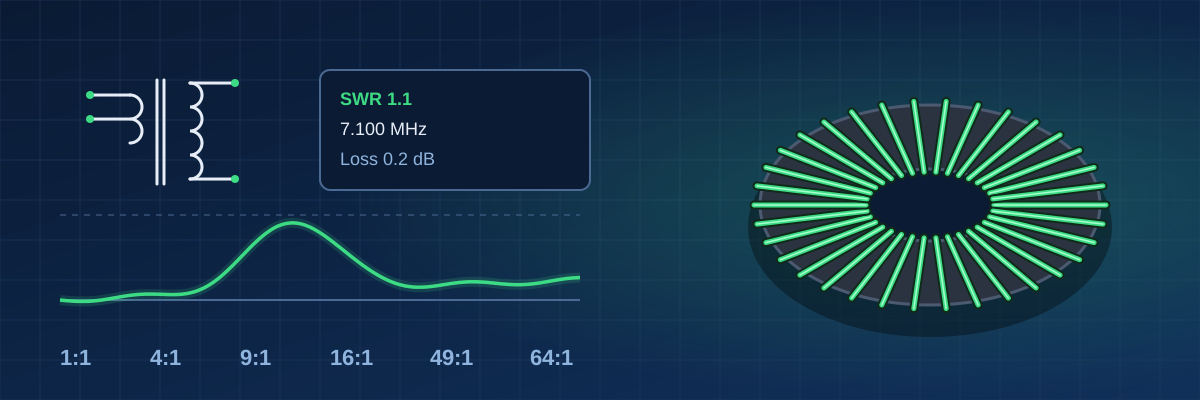
Antenna design, along with RF transformer and choke design, looks simple at first glance. The reality is very different. Part of the problem is that a lot of what you can buy has no markings at all, or is sealed in black resin, so you're left guessing what's inside. That's what this guide is for: working out what you've got using a NanoVNA and a few bits from the bench.

I'm sure I've got some things wrong or over-simplified them. If you have deep and meaningful knowledge of antennas or RF transformers and chokes, I'd love your input. What I've taken away from researching this is that "every day is a school day!"

Gaz

What you need

This guide identifies an unknown balun or unun using basic bench gear and a NanoVNA: the core, the turns, the ratio, whether it is a voltage or current type, and the wire.

  • NanoVNA (or any VNA) with SMA cables and a 50 Ω calibration kit
  • Digital calipers for the core size and wire diameter
  • Oscilloscope and a signal source at about 1 MHz
  • Non-inductive resistors: 50 Ω, 100 Ω, plus the load values in the ratio table further down
  • A dummy load rated for the power you want to test at
  • Multimeter with a continuity buzzer

Safety first

RF at power can burn skin and damage a NanoVNA, so test at low level first and only step up into a dummy load.

  • Never touch the unit or the load while transmitting.
  • Disconnect the NanoVNA before any transmitter is connected. RF power can destroy its input.
  • A dummy load runs hot. Let it cool and keep it on a heatproof surface.
  • The high side of a 49:1 or 64:1 carries high voltage: 100 W into 2450 Ω is about 500 V RMS, so keep fingers and loose leads away.
  • Use a transmitter only for the power test (check 9), and only into the dummy load.

Test jig and NanoVNA calibration

Short leads and a proper calibration matter most at high impedance, so build a jig and calibrate before you test any unit.

  1. Build a jig: an SMA or BNC connector with binding posts for the unit's terminals, with the leads as short as possible.
  2. Calibrate at the end of the cable, using open, short and load (plus through for loss) over 1-30 MHz.
  3. Use the same cable and jig for every unit, and recalibrate if you change the sweep range.
  4. Check the calibration on a known 50 Ω resistor. It should read very close to 50 Ω.
  5. Treat NanoVNA readings above a few hundred ohms as approximate and confirm them by counting turns.
  6. Make load resistors from several low-inductance resistors in series or parallel, for example 4 × 51 Ω for about 200 Ω.

Plain-English glossary

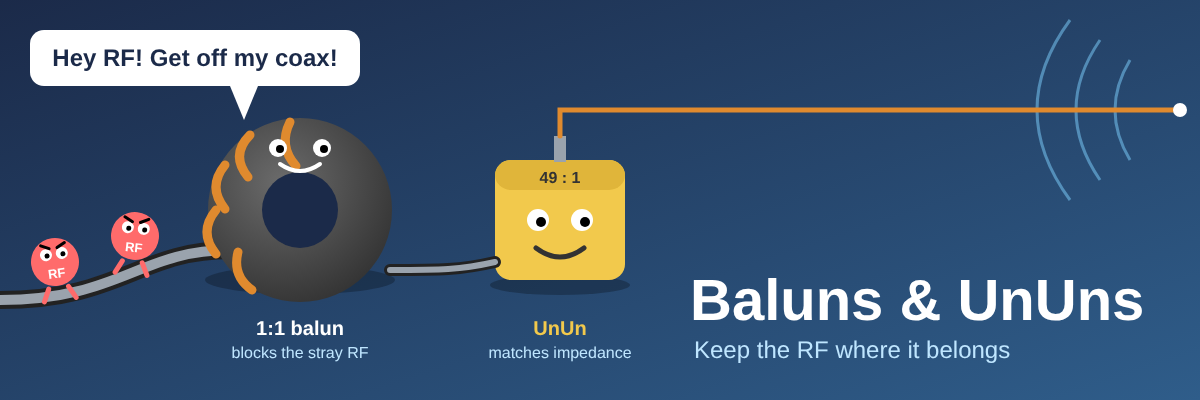
A balun joins a balanced circuit (like a dipole) to an unbalanced one (like coax). An unun joins two unbalanced circuits. Either can also change impedance.

TermMeaning
BalunBalanced to unbalanced, e.g. dipole to coax
UnunUnbalanced to unbalanced, e.g. end-fed wire to coax
RatioHow far it steps impedance, e.g. 4:1 turns 200 Ω into 50 Ω
Voltage type (Ruthroff)Forces equal voltage on both output terminals
Current type (Guanella)Forces equal current in both output terminals; transmission-line windings
Common-mode chokeBlocks stray current flowing on the outside of the coax

In this guide the input is the coax side, with one signal wire and a shield, and the output is the side with two terminals that go to the antenna wires. I label the two output terminals A and B.

Ratio and turns table

Impedance ratio is the turns ratio squared, so a 2:1 turns ratio gives a 4:1 impedance ratio.

Impedance ratioTurns ratioHigh-side load for a 50 Ω inputLow-side reading with 50 Ω on the high side
1:11:150 Ω50 Ω
4:12:1200 Ω12.5 Ω
9:13:1450 Ω5.6 Ω
16:14:1800 Ω3.1 Ω
49:17:12450 Ω1 Ω
64:18:13200 Ω0.8 Ω

The NanoVNA is least accurate at the extremes, so confirm 49:1 and 64:1 by counting turns. Some transmission-line 4:1 and 9:1 types get their ratio from how the wires are connected, not from the turns count.

Impedance ratio is the turns ratio squaredTop row: high-impedance side. Bottom row: low side.One block is one turn, in relative terms.ImpedanceTurns, high : lowLoad for a 50 Ω input1:11 : 150 Ω4:12 : 1200 Ω9:13 : 1450 Ω16:14 : 1800 Ω49:17 : 12450 Ω64:18 : 13200 Ω

Relative turns for each ratio. The high-impedance side always has more turns.

What each ratio is used for

RatioTypical use
1:1Feedline choke, or dipole to coax
4:1Folded dipoles and loops (about 200 Ω)
9:1Random-wire antennas (about 450 Ω)
49:1 and 64:1End-fed half-wave wires (high-impedance feedpoint)

Winding types

Winding style is a clue, not proof. The same twisted pair can be wired as a voltage or a current type, so confirm it with the proof test further down.

What you seeLikely typeNotes
One coil with an extra tap wireVoltage, autotransformerBeep test shows a DC path
Two separate windingsVoltage, two-winding transformerBeep test shows no DC path
Two wires wound side by side or twistedVoltage or currentDepends on how the ends are connected
Thick coax cable through the coreCurrent, coax chokeCheck the cable print or measure its diameter
Winding style is a clue to the type, not prooftap wireTapped coilOne winding, extra leadBeep test: DC pathOften an ununTwo wires side by sideTwo colours, wound togetherBeep test: depends on wiringVoltage or current typeCoax through the coreThick cable, a few turnsCheck the cable printUsually a current choke

Three common ways a toroid is wound.

The 10 lab checks

Run these in order and write each reading down in the results sheet at the end.

Check 1: Look at it

Note the core size and colour, the wire layout (twisted, side by side, coax) and the connectors.

Check 2: Count the turns

Count how many times each wire passes through the core hole. Each pass through the hole is one turn.

Count the passes through the centre hole, not the outside123How to count turnsCount each pass through the centre hole.One pass through the hole is one turn.Wire on the outside is part of the same turn.Example: three passes means three turnsCount each winding separately.a pass through the hole

Count the passes through the centre hole, not the wire on the outside.

Check 3: Beep test

A DC path between input and output means an unun or autotransformer. No path means the sides are isolated.

A beep between input and output means a shared windingShared connectionNo shared connectionUnitIn 1In 2Out 1Out 2Multimeter on continuityBeep: there is a DC pathAutotransformer or ununUnitIn 1In 2Out 1Out 2Multimeter on continuityNo beep: no DC pathIsolated windings

A beep between an input and an output terminal means they share a winding.

Check 4: Find the ratio

Put a 50 Ω resistor on one side and read the impedance of the other side with the NanoVNA at 7 MHz, then swap sides and repeat. Compare the readings with this table.

You readRatio
50 Ω both ways1:1
200 Ω or 12.5 Ω4:1
450 Ω or 5.6 Ω9:1
800 Ω or 3.1 Ω16:1
2450 Ω or 1 Ω49:1
3200 Ω or 0.8 Ω64:1
Terminate one side with a resistor, read the other sidelow sidehigh sideNanoVNAreads impedanceat 7 MHzexpect about 50 ΩUnit under testbalun or ununshort leadsLoad resistor200 Ω for a 4:1(50 Ω × the ratio)non-inductive type1. Calibrate the NanoVNA at the end of its cable2. Fit the load resistor to the high side3. Read the low side at 7 MHz, then swap the sides and repeat

With the matched load on the high side, the NanoVNA should read about 50 Ω at the low side.

Check 5: Check the ratio by voltage

Feed in about 1 MHz and compare the input and output voltages on the scope. Square the voltage ratio to get the impedance ratio.

Check 6: Measure insertion loss

Sweep 1.8-30 MHz through the unit into the matched load. Over 0.5 dB of loss is poor. One caveat: a 200 Ω load going into a 50 Ω NanoVNA port is not a perfect loss measurement, so treat the number as a good rough check rather than a lab figure.

Loss test: sweep through the unit and read what comes outNanoVNA CH0sends the sweepUnit under testbalun or ununMatched load50 Ω × the ratioNanoVNA CH1reads what arrives1. Calibrate first, with the through connected2. Sweep 1.8-30 MHz and read the loss on the CH1 trace3. A flat trace with under 0.5 dB loss is good

Sweep through the unit and read what comes out on the second port.

Check 7: Measure SWR

Use the same sweep. Under 1.5:1 is good, and a sharp rise shows where the bandwidth runs out.

A good sweep is flat in the middle and rises at both endsSketch of a typical sweep, not measuredMore lossLess lossUsable band1.8 MHzFrequency30 MHzLow end: too few turnsFix: more turns or a higher-permeability coreHigh end: leakage or resonanceFix: shorter leads, tighter winding

What a good sweep looks like, and what a low-end or high-end rise means.

Check 8: Find the low-frequency limit

Leave the output open and read the input impedance. The higher it stays at low frequencies, the better the unit works down there. If you want the leakage inductance too, short the output and measure again.

Open and short tests on the output show core and leakageOutput openOutput shortedNanoVNAUnitReads the magnetising inductanceHigher means better at low frequenciesNanoVNAUnitReads the leakage inductanceLower means better at high frequenciesThe open test is one of the 10 checks; the short test is optional.

Open and short tests on the output show the core and the leakage.

Check 9: Test the heat

Run rated power into the dummy load for 5 minutes. The core should stay barely warm.

Power test: transmitter into the dummy load, then check the coreTransmitterstart at low powerPower meterreads power and SWRUnit under testcheck the core heatDummy loadgets hot, let it cool1. Disconnect the NanoVNA before connecting the transmitter2. Start at low power, then step up to the rated power3. Run 5 minutes, then check the core: barely warm is good

Power test: transmitter into the dummy load, then check the core.

Check 10: Test the balance (baluns only)

Measure each output terminal to ground. The amplitudes should match and be opposite in phase.

A good balun gives two equal traces in opposite phaseBalunprobe on Aprobe on BProbe each output terminal to groundand feed in about 1 MHzTerminal ATerminal BGood balance: equal height, opposite phase (180°)A fault shows as unequal height or a different phase

A good balun gives two equal traces in opposite phase.

Voltage or current: the proof test

Putting different resistors on the two output terminals shows whether the balun keeps the current equal or the voltage equal.

  • Input side: where the coax connects. It has one signal wire plus the shield, so it is called unbalanced.
  • Output side: the two terminals that go to the antenna wires. This side is called balanced. Call the two terminals A and B.
  • Ground: the coax shield on the input side. Connect both resistors to it.
  • Signal source: a signal generator, or the NanoVNA output, at about 1 MHz.
  1. Connect a 50 Ω resistor from output terminal A to ground and a 100 Ω resistor from output terminal B to ground.
  2. Connect the signal source to the input (the coax side) at about 1 MHz and a low level.
  3. Measure the voltage from terminal A to ground, then from terminal B to ground, with the scope.
  4. Work out each terminal's current as its voltage divided by its resistor value.
Different resistors on the two outputs show which stays equalSignal sourceabout 1 MHzcoaxBalun under testTerminal ATerminal B50 Ω100 ΩgroundInput sidewhere the coax connects (unbalanced)Output sidetwo terminals for the antenna wires (balanced)Measure the voltage from each output terminal to ground. Current is that voltage divided by its resistor.Current typeEqual current at A and B; voltages differVoltageCurrentABABVoltage typeEqual voltage at A and B; currents differVoltageCurrentABABBars show relative size, not measured values.

Different resistors on the two output terminals show which quantity stays equal.

TypeVoltages at A and BCurrents at A and B
Current (Guanella)Different; higher at B (100 Ω)Equal
Voltage (Ruthroff)EqualDifferent; higher at A (50 Ω)

A common-mode impedance above 1 kΩ also points to a current type: tie both input terminals together, tie both output terminals together, and measure between the two pairs.

Common-mode test: tie each side together, measure betweenUnit under testNanoVNAinputs tiedoutputs tiedreturn leadAbove 1 kΩ points to a current typeA low reading points to a voltage type

Common-mode test: tie each side together and measure between the two pairs.

A low reading means the unit does little to block stray current on the coax.

Potted or unmarked units

A potted unit with no markings can still be identified from its terminals alone. Map them, then use measured inductance and the same electrical tests to find the turns, ratio and type.

Inductance across each winding gives the turns ratioPotted unitABCDWinding 1L1 across A and BWinding 2L2 across C and DTurns ratio = √(L1 ÷ L2)Example: L1 four times L2 means 2:1 turns, so 4:1 impedance

Inductance across each winding gives the turns ratio.

  1. Record its size and weight. The core is smaller than the resin block, so the block gives an upper limit.
  2. Map the terminals. Beep every pair with the multimeter, mark the pairs that connect, and note each pair's resistance. A shared terminal means an autotransformer; separate pairs mean separate windings.
  3. Measure the inductance of each winding at 1 MHz with the other windings open. Inductance rises with turns squared, so the turns ratio is the square root of the inductance ratio.
  4. Short one winding and measure another. A large drop means the windings are tightly coupled; little change means they are not.
  5. Confirm the ratio with resistors, as in check 4.
  6. Sweep insertion loss and SWR from 1.8-30 MHz. A self-resonance dip marks the top of the usable range.
  7. Run the proof test and the common-mode test to decide between a voltage and a current type.
  8. Prove the power rating by test only: step up the power into a dummy load and check the heat at each step.

Cutting or stripping the resin destroys the unit, so treat it as a last resort.

ReadingWhat it tells you
DC path between terminalsThose terminals share a winding
Inductance ratio between two windingsTurns ratio is its square root
High open-circuit inductance at 1.8 MHzEnough core and turns for the low bands
Loss rising steadily with frequencyA ferrite core is likely
Self-resonance dipUpper limit of the usable band

Which type is it?

Three tests sort any unit: the beep test splits autotransformers from isolated windings, the proof test gives voltage or current type, and the terminated reading gives the ratio.

Three tests sort any unit by winding, type and ratioBeep every terminal pairDC path between input and output?yesnoAutotransformer or ununShared windingIsolated windingsSeparate windingsProof testDifferent resistors on the two output terminalsCurrents equal: current typeVoltages equal: voltage typeRatio: terminate and read (check 4)

Three tests sort any unit by winding, type and ratio.

Wire gauges

Wire gauge follows power level and insulation needs. The figures below are rough guides, and the core size matters as much as the wire.

UseTypical wireNotes
QRP, up to 10 W22-26 AWG (0.4-0.65 mm)Enamelled copper is fine
Up to about 100 W18-20 AWG (0.8-1.0 mm)Most common for 1:1, 4:1, 9:1
200 W to 1 kW14-16 AWG (1.3-1.6 mm)PTFE insulated, large core such as FT-240
49:1 and 64:1 end-fed18-22 AWGOften on an FT-140 or FT-240 core for 100-200 W
Coax-wound chokesRG-316 up to 100 W; RG-142 or RG-400 up to 1 kWUse PTFE coax; RG-58 only for low power

On one unit, the low-impedance winding carries the most current and takes the thicker wire. The high-impedance winding carries little current but high voltage: 100 W into 2450 Ω is about 500 V RMS, so use PTFE or thick enamel insulation.

Identifying unknown wire

  1. Scrape off a short section of enamel or strip the insulation.
  2. Measure the bare copper with calipers or a micrometer.
  3. Match it to the table below.
AWGDiameter (mm)
141.63
161.29
181.02
200.81
220.64
240.51
260.40

For coax, read the print on the jacket. If it is blank, measure the outer diameter: RG-316 is about 2.5 mm, while RG-142 and RG-58 are both about 5 mm. Those two look alike, so the white PTFE insulation under the jacket is the giveaway for RG-142.

Measure the bare wire; thick wire goes on the low sideMeasure the bare wireWhich winding gets the thicker wireEnamel: scrape off a short bitBare copper: measure hereMatch the diameter to the AWG tableExample: 1.02 mm is 18 AWG, 0.81 mm is 20 AWGUnitLow-impedance sidethicker wire, most currentHigh-impedance sidethinner wire, high voltage

Measure the bare wire, and put the thicker wire on the low-impedance winding.

Core identification

Measure the core to get its size, then measure inductance to work out its mix. Take AL values from the manufacturer's datasheet for that size and mix.

Three caliper readings identify the core sizeTop viewSide viewOuter diameter (OD)IDHeightWidth is the ODMeasure the bare core if you canID is measured across the holeExample: 35.5 mm OD is an FT-140

Three caliper readings identify the core size.

DesignationOuter diameter
FT-5012.7 mm (0.5 in)
FT-8221 mm (0.82 in)
FT-11429 mm (1.14 in)
FT-14035.5 mm (1.4 in)
FT-24061 mm (2.4 in)

The T-xx powdered iron cores follow the same inch-based sizing (T-50 is 0.5 in).

  1. Colour: powdered iron cores are painted (red is mix 2, yellow is mix 6). Ferrite cores are usually dull grey or black with no code, so identify their mix by measurement.
  2. Ten-turn inductance test: wind exactly 10 turns of insulated wire (about 0.8 mm, 20 AWG) on the bare core, spaced evenly round it. Measure the inductance with the NanoVNA (open the other end, use a short lead). AL = L in nH divided by 100, because 10 turns squared is 100. Compare AL with the manufacturer's datasheet (Fair-Rite for ferrite, Micrometals or Amidon for powdered iron). For example an FT-140-43 is roughly 885 nH per turn squared and an FT-140-61 roughly 140.
  3. Frequency caveat: datasheet AL is measured at low frequency (about 10 kHz) and ferrite loses permeability as frequency rises, so at 1 MHz the NanoVNA will often read lower than the datasheet. Use the result to tell the mixes apart (43 reads far higher than 61), not to match the exact number.
  4. Frequency sweep: measure Ls and Rs at 1, 3.5, 10 and 30 MHz. Powdered iron shows flat Ls and low Rs. Ferrite shows Ls falling and Rs rising, and the frequency where Rs climbs separates mix 43, 61 and 31.

Results record sheet

Fill in one row per check for each unit you test.

CheckWhat to recordReadingPass or fail
1. VisualCore size, colour, winding layout  
2. TurnsTurns on each winding  
3. Beep testDC path yes or no  
4. Ratio (impedance)Reading both ways at 7 MHz, ratio found  
5. Ratio (voltage)Vin, Vout, squared ratio  
6. Insertion lossdB at 1.8, 7, 14, 30 MHz  
7. SWRWorst SWR and where  
8. Low-frequency limitOpen-circuit input impedance at 1.8 MHz  
9. HeatCore temperature after 5 min at rated power  
10. BalanceTerminal amplitudes and phase difference  
Proof testEqual voltages or equal currents  
WireGauge and insulation  
Core mixAL and best-match mix  

Pass or fail and troubleshooting

A good unit shows insertion loss under 0.5 dB, SWR under 1.5:1 across its bands, common-mode impedance above 1 kΩ (current types), and a core that stays barely warm.

SymptomLikely causeFix
Hot core or high lossCore saturating, wrong mix, too few turnsLarger core, more turns, lower-loss mix
SWR rises at high frequenciesLeakage inductance, long leadsShorter leads, tighter winding, small compensating capacitor
Poor match at low frequenciesToo few turns or low ALMore turns or a higher-permeability core
Ratio reads wrongMiscounted turns or wrong connectionsRecount, check wiring against the ratio table
Unexpected DC pathShorted turns or shared connectionBeep-test each winding separately
Poor balanceLow common-mode impedanceMeasure common-mode impedance; add a choke

Baluns, UnUns a quick look at a complicated subject.
Few parts of an antenna system cause as much confusion as the little box (or the lump of coax and ferrite) at the feedpoint. Balun, UnUn, choke, transformer: the names get used interchangeably and the…

Few parts of an antenna system cause as much confusion as the little box (or the lump of coax and ferrite) at the feedpoint. Balun, UnUn, choke, transformer: the names get used interchangeably and the marketing does not help. This post sorts out what each one actually does, when you need one, and how to avoid the common mistakes.

A note before we start: this is an amateur's guide, written by a hobbyist for other hobbyists. It is not the last word on the subject. Real-world results depend on your antenna, your cable, your ferrite and your surroundings, and experienced builders will sometimes disagree on the details. Treat the figures as starting points, and measure with an analyser where you can.

Balanced vs unbalanced

Coax is an unbalanced line: the centre conductor carries the signal and the braid is held at ground potential, so the two conductors are not symmetrical. A centre-fed dipole is a balanced antenna: both halves are identical and each one should see equal and opposite current.

Connect the two directly and the antenna cannot tell the braid is meant to be ground. Part of the current flows on the outside of the braid as well as the inside. That is common mode current, and it turns your feedline into part of the antenna.

Why common mode current is a problem

A feedline that radiates distorts the antenna pattern, changes the SWR depending on how the cable is routed, and brings RF back into the shack. The usual symptoms are:

  • RF feedback on the microphone, or a tingle from the rig case or key
  • SWR that changes when you move the coax or touch it
  • Interference to TVs, broadband routers and audio gear at home
  • Increased local noise on receive, because the braid picks up household interference and carries it into the radio
Dipole fed with and without a balun A. No balun: some current flows on the outside of the braid Dipole arm Dipole arm Rig Common mode current on the outside of the braid: the feedline now radiates B. With a 1:1 current balun (choke): the braid exterior is blocked Dipole arm Dipole arm Balun Rig Common mode current is choked off here Only the wanted current flows inside the coax: pattern and SWR stay predictable

Figure 1: a dipole fed straight from coax (top) and through a 1:1 current balun (bottom).

Balun vs UnUn

The names describe what is on each side of the device.

  • Balun (balanced to unbalanced): coax on one side, a balanced load such as a dipole on the other.
  • UnUn (unbalanced to unbalanced): coax on one side, an unbalanced load such as a random wire or end-fed on the other, usually with impedance transformation.

A 1:1 balun mainly stops common mode current and does no impedance transformation. A 4:1 balun or a 9:1 UnUn does both jobs: it steps the impedance and, in the balun case, converts balanced to unbalanced.

Where does a line isolator fit in?

A line isolator (also sold as a choke, common mode choke or feedline choke) is a third device that is easy to confuse with a balun. It sits in the middle of a coax run with coax on both sides. Its only job is to block common mode current on the outside of the braid. It has no balanced side and no impedance ratio.

Device What it connects Changes impedance? Main job Typical position
Line isolator (choke) Coax to coax No Block common mode current on the braid At the shack entry, at the rig, or part way along the feedline
1:1 balun Coax to a balanced antenna No Convert balanced to unbalanced and block common mode current At the antenna feedpoint
4:1 or 6:1 balun Coax to a balanced, higher-impedance load Yes Convert balanced to unbalanced and step the impedance At the feedpoint, or at the tuner end of open-wire feeder
UnUn Coax to an unbalanced load such as a wire Yes Step the impedance of an end-fed or random wire At the feedpoint

A 1:1 current balun and a line isolator are often built in exactly the same way, with coax wound on ferrite. The difference is where you put them and what is on the other side. If the other side is a balanced antenna, it is acting as a balun. If it is more coax, it is acting as a line isolator.

The practical lesson is that an UnUn is not a substitute for a choke. It changes the impedance but does not reliably stop common mode current on the coax, which is why the end-fed and random-wire examples later in this post add a choke on the feedline. A good rule of thumb is to use a balun or UnUn to deal with the antenna, and a line isolator to deal with the feedline.

Common ratios and where they are used

Ratio Type Typical use
1:1 Balun (current balun or choke) Resonant dipoles, inverted vees and yagis fed with 50 ohm coax
4:1 Balun Folded dipoles (around 300 ohm, best with 75 ohm coax), some loops and other high-impedance balanced antennas
4:1 or 6:1 Balun fed with open-wire line Multiband doublets via an ATU; the balun sits at the tuner end
9:1 UnUn Random wires and long wires, typically with a counterpoise
49:1 (or 64:1) UnUn End-fed half-wave (EFHW) antennas, which present a few thousand ohms at the feedpoint

The numbers are impedance ratios, not turns ratios. A 4:1 impedance ratio uses a 2:1 turns ratio, and a 49:1 ratio uses 7:1 turns, because impedance scales with the square of turns.

Where to use them, and why

The right device depends on two things: whether the antenna is balanced or unbalanced, and what impedance it presents at the feedpoint. The table sets out where each one goes and the reason behind the choice.

Antenna Use Where it goes Why
Resonant dipole or inverted vee 1:1 current balun At the feedpoint The antenna is balanced and its feedpoint impedance (typically 50 to 75 ohm) is already close enough to 50 ohm coax, so no step-up is needed. The balun just stops the braid taking part.
Yagi or beam with a balanced match 1:1 balun or choke At the feedpoint Keeps the pattern clean and stops the feedline distorting the front-to-back ratio.
Folded dipole 4:1 balun At the feedpoint A folded dipole is around 300 ohm. A 4:1 balun brings that down to something coax can use, and the match is best with 75 ohm coax.
Doublet with open-wire feeder 4:1 or 6:1 balun At the tuner end, not at the antenna The open-wire feeder is balanced all the way down, so the balun is only needed where it meets the unbalanced coax or tuner output.
End-fed half-wave (EFHW) 49:1 UnUn plus a choke UnUn at the feedpoint, choke on the coax The wire end sits at a few thousand ohms. 49:1 steps roughly 2450 ohm down to 50 ohm.
Random or long wire 9:1 UnUn with a counterpoise At the feedpoint Impedance changes from band to band. 9:1 brings a typical value of a few hundred ohms into a range an ATU can handle.
VHF/UHF colinear or vertical Choke (snap-on ferrite stack or sleeve) At the base of the antenna, then further down the cable With little or no ground plane the braid becomes part of the antenna, so the SWR and pattern depend on the cable until it is blocked.
Any coax entering the shack Choke (ferrite stack or coax coil) Where the coax enters the building or reaches the rig Stops RF travelling inwards on the braid and household noise travelling in, whatever the antenna.

Example: an end-fed half-wave

An EFHW is the classic UnUn job. The feedpoint is at a voltage maximum, so the impedance is very high and a plain coax connection would give a terrible SWR. The 49:1 UnUn fixes the impedance, but it does not stop the coax radiating, which is why a choke a short way down the feeder is worth adding.

End-fed half-wave with 49:1 UnUn and choke End-fed half-wave: 49:1 UnUn at the feedpoint, choke on the coax Half-wavelength wire (the radiator) Optional counterpoise 49:1 Choke Rig Choke a short way down the coax: stops common mode current The UnUn steps roughly 2450 ohm at the wire down to 50 ohm at the coax

Figure 2: the usual EFHW arrangement.

Example: a random wire

A random wire has no neat resonance, so its impedance wanders as you change band. A 9:1 UnUn pulls the typical value into a range the ATU can cope with, and the ATU does the fine matching. The UnUn needs something to push against: with no counterpoise or earth the coax braid becomes the return path and you are back to common mode current.

Random wire with 9:1 UnUn and counterpoise Random wire: 9:1 UnUn with a counterpoise Long wire (any non-resonant length) 9:1 Rig Counterpoise wire or earth connection: the return path 9:1 turns about 450 ohm at the wire into 50 ohm at the coax

Figure 3: a random wire only works well with a proper return path. The 450 ohm figure is a typical working value, not a fixed one.

Voltage baluns and current baluns

A voltage balun forces equal voltages at the two output terminals. A current balun forces equal currents. Real antennas are never perfectly symmetrical, for example when one leg of a dipole is near a mast or a wall, and in that situation the current balun keeps the currents equal so common mode current stays low. This is why a 1:1 current balun (often called a choke balun) is generally the better choice at a dipole feedpoint.

Most good 1:1 designs are Guanella-style transmission line transformers: coax or a bifilar pair wound through a ferrite core so that the common mode path sees a high impedance while the wanted differential signal passes through almost untouched.

Choosing a core

Ferrite mix matters more than most people expect. As a general guide:

Mix Good for Notes
Type 31 All-round HF choking, strongest below about 10 MHz (160m to 40m) High permeability gives more choking impedance on the low bands, and it is close to type 43 above about 10 MHz. The usual first choice for HF chokes
Type 43 Transformer windings, and chokes on the upper HF bands (20m to 10m) The usual choice for UnUn transformer windings, and a good choke mix on the higher bands
Type 61 Upper HF and VHF Lower loss at higher frequencies, less choking at the low end
Type 77 Low HF and below Very high permeability, which is why it is common in broadband and low-frequency work

Size matters for power. A small core will saturate and heat up long before a large one, and a saturated core stops working as a balun and starts distorting your signal. For 100 W, an FT240-sized core is a comfortable choice; for higher power, stack cores or use a larger one.

The cheap option: a coax choke

You do not always need a purpose-built balun. Coiling the coax a handful of turns near the feedpoint, or threading it through a stack of clip-on ferrites, adds common mode impedance. Both approaches are cheap and can work well if the ferrite mix suits the band, but a coil of coax on its own is narrowband, so the result varies a lot between bands. If you operate on several bands, a wound-on-core balun or a stack of the right mix usually gives more consistent results.

How to make them

All of these are simple builds that need a soldering iron, a ferrite core and some patience. The first three builds cover most of what a ham needs: a 1:1 choke balun, a 49:1 UnUn for an end-fed half-wave, and a 9:1 UnUn for a random wire. The fourth is a short note on 4:1 baluns. Treat the turns counts as starting points and check the result with a NanoVNA before it goes up in the air.

What you need

  • Ferrite toroid: an FT240-43 (2.4 inch) is the usual choice for the 49:1 and 9:1 builds, and an FT240-31 is the better choice for the choke (type 43 also works). Buy from a reputable supplier, because fake cores are common. A quick check is to wind 10 turns and measure the inductance with the NanoVNA or an LC meter, then compare it with the datasheet value.
  • Wire: 1.5 mm enamelled copper for the transformer windings. PTFE-insulated wire is nicer if you can get it, because it handles heat and high voltage better.
  • Coax for the choke: RG316 or RG142 (PTFE jacket) is easy to wind and handles heat well. Thicker cable such as RG58 needs a larger core or a stack of cores. On HF a short tail of thin coax adds almost no loss. Do not do this at VHF and UHF, where thin coax has more loss and a lower power rating (see the colinear section).
  • Connectors and box: an SO-239 or N-type chassis socket, stainless terminals or wing nuts for the wire, a weatherproof box, and cable glands.
  • Tools: soldering iron, craft knife or fine sandpaper for stripping enamel, heat-shrink, cable ties and a NanoVNA.

Build 1: a 1:1 choke balun

This is the simplest and most useful build. The coax itself is wound through the core, so the wanted signal inside the cable is untouched while the braid exterior sees a high impedance.

  1. Pass the coax through the centre of the core in a single layer, around 8 to 12 turns for an FT240. Count a turn each time the cable goes through the hole.
  2. Space the turns evenly around the core and keep the two ends well apart, because turns that touch add capacitance and reduce the choking on the higher bands.
  3. For a dipole balun, strip each end of the coax and take the centre conductor to one terminal and the braid to the other. For a choke on a feedline, simply fit connectors to each end.
  4. Keep the braid pigtails as short as you can, and fit strain relief so the winding cannot tug on the solder joints.
  5. Secure the turns with cable ties or heat-shrink, then mount the whole thing in a weatherproof box.
Coax choke wound on a toroid 1:1 choke balun on an FT240 core Coax from the rig Coax to the antenna 8 to 12 turns, one layer, evenly spaced, ends kept apart

Figure 4: schematic of the winding. In the real thing the coax is one continuous run through the core.

Build 2: a 49:1 UnUn for an end-fed half-wave

The simplest version is a single winding with a tap, an autotransformer. A turns ratio of 7:1 gives an impedance ratio of 49:1 because impedance scales with the square of turns.

  1. Wind 14 turns of 1.5 mm enamelled wire on an FT240-43, spaced evenly around the core.
  2. Make a tap 2 turns up from the end that will be connected to the coax braid (the cold end). Leave a short loop at that point, scrape off the enamel, and solder on a short tap lead.
  3. Connect the tap to the centre pin of the SO-239.
  4. Connect the cold end to the SO-239 ground lug and to a terminal for the counterpoise.
  5. Connect the far end of the winding (the hot end) to the terminal for the radiating wire.
  6. Many designs add a small compensation capacitor, typically somewhere around 100 to 200 pF in a high-voltage C0G/NP0 type. Its value and position are found by testing on the NanoVNA, so treat it as optional and sweep with and without it.
  7. Mount everything in a weatherproof box with the wire terminal on the outside and a drip loop on the coax.
49:1 tapped winding for an end-fed half-wave 49:1 UnUn: one winding, tapped Hot end: to the half-wave wire Coax centre (tap) Coax braid (cold end) Counterpoise 14 turns in total, on one core Tap 2 turns up from the cold end Turns ratio 14:2 = 7:1, so impedance ratio 49:1

Figure 5: the winding is one continuous coil. The tap simply divides it into 2 turns and 12 turns.

Why 2 and 14 turns? The core needs enough inductance on the coax side to look like a high impedance compared with 50 ohm. An FT240-43 gives roughly 1,000 nH per turn squared, so 2 turns is about 4 uH, which is fine from 40m upwards. For 80m the same design scaled up to 3 turns on the coax side and 21 in total (still 7:1) gives more inductance for the lower bands.

Add the choke. Fit a Build 1 choke a short way down the coax, commonly around 0.05 wavelength at your lowest band (about 2 m for 40m and 4 m for 80m). The short length of coax between the UnUn and the choke then acts as a counterpoise, which is why many EFHW designs need no separate counterpoise wire. If the SWR is unstable or you get RF in the shack, add a short counterpoise wire of a few metres as well.

Build 3: a 9:1 UnUn for a random wire

The method is the same as the 49:1 but with a 3:1 turns ratio (which gives 9:1 in impedance). Wind 12 turns on an FT240-43, put the tap 4 turns up from the cold end, and wire it exactly as in Figure 5: tap to the coax centre, cold end to the braid and the counterpoise or earth, hot end to the long wire. This is a scaled version of the 49:1 design rather than a published standard, so check it with the 450 ohm test load before use.

Commercial 9:1 units and many published designs use three twisted wires instead (trifilar), which gives a wider bandwidth. The tapped version is easier to get working and is fine for experiments. If you move to a trifilar design later, copy a published wiring diagram exactly, because a swapped connection gives the wrong ratio.

Build 4: a 4:1 balun

The cleanest homebrew version is a Guanella design: two equal transmission-line sections, each wound on its own core, with their inputs connected in parallel and their outputs in series. Each section ideally runs at about 100 ohm, and twisted pair wire is the usual choice. It is more fiddly than the other builds, so if you are not set on making one, a good bought 4:1 balun is often the sensible option.

Winding tips

  • Count turns by the number of passes through the hole, not the number of loops on the outside.
  • Scrape the enamel completely at each connection. If the solder will not take on a bare patch, there is still enamel left.
  • Keep every lead short, especially the tap and the connections to the sockets, because lead inductance shows up on the upper bands.
  • Do not kink the coax and do not wind tight against sharp core edges, which can damage the insulation.
  • Run low power first. After 30 seconds of carrier the core should feel cool. Warm means too much loss or too small a core.

Test loads for the NanoVNA

Connect a resistor equal to the design impedance across the output and sweep the bands you care about. Use short leads and non-inductive resistors such as metal film.

Ratio Test load Easy way to make it
1:1 50 ohm A 50 ohm dummy load or two 100 ohm resistors in parallel
4:1 200 ohm Two 100 ohm resistors in series
9:1 450 ohm A single 470 ohm resistor is close enough
49:1 2450 ohm A 4.7 kohm and a 5.1 kohm resistor in parallel give about 2450 ohm

Aim for a flat, low SWR, ideally under 1.5:1 across the bands you will use. A few tenths of ripple at the top end is normal, and a real antenna will not present a perfectly constant impedance anyway, so the bench test is about spotting a badly wrong transformer rather than chasing perfection.

Safety note: the feedpoint of an end-fed half-wave sits at a high voltage. At 100 W into 2450 ohm it is about 500 V RMS, so keep the terminals out of reach, never touch the wire or the UnUn while transmitting, and use a capacitor rated for several kV if you fit one.

Where to put chokes, and how many

One choke is often not enough. Common mode current can be picked up along the whole length of the feedline, so it pays to treat the cable in a few places:

  • At the feedpoint: the most important position. This is where the antenna tries to push current onto the braid, so stop it at the source. For a dipole this is the balun.
  • Where the coax enters the shack: keeps household noise from travelling along the braid into the rig, and keeps RF from the antenna out of the shack.
  • Part way along long runs: on a feedline of tens of metres, add one or two more spaced along the cable so no long stretch of braid is left free to pick up current.

A choke that works well on 20m can do very little on 80m, so match the ferrite mix to the bands you use. A type 31 choke is the best all-rounder across HF. If you also operate on 6m or VHF, add a separate type 43 or 61 choke for those bands.

Chokes for VHF and UHF colinears, and why they keep the SWR steady

Everything so far has been about HF, but the same problem hits VHF and UHF antennas just as hard, and colinears are some of the worst offenders. A colinear is a tall, end-fed vertical, and many of them have no proper ground plane or radials. That leaves the outside of the coax braid as the obvious place for the missing half of the antenna to go.

Why a colinear needs a choke

Without a decoupling choke, part of the current flows down the outside of the braid and the coax becomes part of the radiator. The consequences are the same as on HF, but easier to notice because the wavelengths are short and the cable is long compared with them:

  • The SWR depends on the cable. The feedpoint impedance now includes the braid, so changing the cable length or routing changes the SWR you read.
  • The pattern is distorted. The radiation from the braid adds to the radiation from the element, which can squash the gain and tilt the beam upwards or downwards instead of putting it along the horizon.
  • RF returns to the shack. You can get RF on the rig case, interference to nearby equipment, and extra noise pickup on receive.

Why this keeps the SWR under control

A choke decouples the antenna from the cable. With the braid current blocked, the impedance at the feedpoint is the antenna's own and stops changing with the length or routing of the coax. The SWR you measure becomes stable, repeatable and a true reflection of the antenna, which means you can tune and judge the antenna instead of chasing a number that moves whenever the cable does.

There is a second reason to care about SWR at VHF and UHF. Coax loss is much higher at these frequencies, and loss hides a mismatch: a long run of thin coax can show a pleasant-looking SWR at the rig even when the antenna itself is poorly matched, because the reflected power is eaten by the cable. Measure the SWR at the antenna end where you can, and use low-loss coax on long runs.

A caution: some colinears are designed to use the coax braid as part of their ground plane, so fitting a choke can shift the SWR slightly. If it gets worse after you add one, check the antenna's instructions. It may need its own radials or decoupling sleeve to work properly.

Choke options for VHF and UHF

A sensible target is a choking impedance of a few thousand ohms, around 2 to 3 kohm as a practical aim. Performance matters as well as choking. At VHF and UHF the feedline is already lossy and its power rating is lower than on HF, so it is better not to swap in a thin coax such as RG316 or RG174 just to make a choke easier to wind. The extra loss and the lower power handling will cost more than the choke gains. A typical VHF or UHF feedline is 7 to 10 mm in diameter, and its minimum bend radius makes a wound choke impractical. As an example, our coax choke designer set to LMR400 (10.3 mm) at 145 MHz with the standard bend rule recommends 9 turns on a 196 mm former. That coil is far too large to resonate on 2m and reaches only about 77 ohm. For a few kohm the designer recommends a stack of Fair-Rite tube cores instead. On 2m alone, that is 9 mix 31 cores (about 26 cm long and 495 g) for 2 kohm, or 14 (about 40 cm and 770 g) for 3 kohm. The designer also has a dual-band 2m and 70cm mode and a ferrite mix selector. For 2 kohm on both bands it suggests 10 mix 61 cores (about 29 cm and 550 g), and for 3 kohm a mixed stack of 10 mix 31 and 4 mix 61 cores (about 40 cm and 770 g). Its 70cm figures for mix 31 and 43 are cautious estimates, because the datasheet tables stop at 250 MHz. The practical answer is to leave the cable alone and put the choke around it, using ferrite on the outside of the cable or a sleeve.

Choke type Best for Notes
Snap-on ferrite stack The easiest fix on an installed cable, with no change to the feedline. Mix 31 is strongest on 2m, and mix 61 holds up best on 70cm and above Choose beads with a bore that fits the cable, and for a dual-band antenna mix both types in the stack. One core gives roughly 220 to 280 ohm at 145 MHz depending on the mix, so a few thousand ohms takes about 10 to 15 cores, which is a long, heavy stack on LMR400-size cable. A single bead does very little. Fit it as close to the antenna base as practical, and combine it with a sleeve where you can.
Quarter-wave sleeve (bazooka) Where you need thousands of ohms without a huge stack of ferrite. One sleeve sized for 2m can serve 2m and 70cm together A conductive sleeve about a quarter wavelength long on the lowest band, joined to the braid at the end away from the antenna, with the open end at the feedpoint (roughly 47 to 49 cm for 2m once the cable jacket is allowed for). Our sleeve designer works out the length for your cable and tube. Because 70cm is three times the frequency of 2m, a 2m sleeve is about three quarters of a wavelength on 70cm and also presents a high impedance there, so one sleeve can serve both bands. Check both bands on the VNA and trim if needed. It does not cover a third band such as 6m, where the ferrites do the work. It sits outside the cable, so it adds no loss and does not limit the power handling.
Coiled coax A weak stopgap at VHF and UHF, more useful lower down A few turns of the existing cable, with the coil large enough to respect the cable's minimum bend radius (roughly ten times its diameter, so 15 to 20 cm across for 7 to 10 mm cable). The coil only chokes well near its own self-resonance. On 7 to 10 mm cable at the bend limit it is far too large to resonate on 2m, so it adds only around 100 ohm there and is a weak option at VHF and UHF. Measure the effect before relying on it.

The bazooka balun and other VHF and UHF types

The quarter-wave sleeve above is also known as a bazooka balun, a sleeve balun or a Sperrtopf, and it is the best-known alternative to ferrite at VHF and UHF. A tube is slid over the coax and joined to the braid at the end away from the antenna, leaving the other end open at the feedpoint. The tube and the braid form a short length of coaxial line that is shorted at one end, so a quarter of a wavelength away it looks like a very high impedance. That stops RF travelling down the outside of the braid.

The length is shorter than a free-space quarter wave, because the cable jacket sits in the gap and slows the wave. As examples from our sleeve designer at 145 MHz, a 7.3 mm cable in 15 mm copper pipe needs a sleeve about 47 cm long (velocity factor about 0.91), and LMR400 in 22 mm copper pipe also comes out at about 47 cm. A wider tube leaves a bigger air gap and a slightly longer sleeve. Copper and brass tube can be soldered to the braid. Aluminium is light but cannot be soldered, so it needs a clamp or foil ring and a seal against corrosion. A sleeve is a narrow-band choke, useful over only about 6 percent of the design frequency, so it needs cutting and trimming with an analyser. A sleeve cut for 2m is also at an odd multiple of a quarter wave on 70cm, which is why it suits dual-band colinears. It does nothing useful on bands where its length is a multiple of a half wave.

Type What it does Where it fits Watch out for
Quarter-wave sleeve (bazooka) Chokes current on the outside of the braid Colinears, verticals and other antennas fed with coax Narrow band, so it needs trimming. Seal the open end against water, and keep it centred on the cable
Pawsey stub A shorted quarter-wave stub across the feedpoint that gives a balanced feed Balanced antennas such as dipoles and Yagis Narrow band, and the stub length must allow for the cable's velocity factor
Half-wave coax loop (U-balun) A half-wave loop of coax that gives balanced-to-unbalanced conversion and a 4:1 impedance step A folded dipole of about 300 ohm fed from 75 ohm coax, or a 200 ohm balanced feed from 50 ohm coax Narrow band, and it only suits a balanced antenna, not a colinear. The loop length uses the cable's velocity factor
Snap-on ferrite stack Adds loss and impedance to the outside of the braid over a wide band Any installed cable, and the easiest fix on dual-band antennas Needs many cores on thick cable, as shown above

None of these cures a mismatch in the antenna itself. They only stop current on the outside of the coax, so check the SWR and tuning of the antenna first.

Where to put them

  • At the base of the antenna: as close to the feedpoint as you can, so the current is blocked where it starts.
  • Further down the cable: a second choke a quarter to a half wavelength below the first catches current that couples back onto the braid.
  • At the shack entry: keeps any remaining current and household noise out of the rig.
  • Cable routing: take the coax away from the antenna sideways for the first metre or so, rather than letting it run straight down alongside the element or the mast, because a cable lying close to the element couples to it strongly.
Choke positions for a VHF UHF colinear VHF/UHF colinear: where the chokes go Colinear radiating element Mast Choke 1 Choke 2 Choke 3 Rig Coax leaves the base sideways, away from the element and the mast Second choke a quarter to a half wavelength down the cable Third choke where the coax enters the shack

Figure 6: a typical arrangement for a VHF/UHF colinear. The spacing is not to scale.

How to tell if it is working

  • Sweep the antenna with a NanoVNA at the antenna end of the cable, then touch or move the coax. If the SWR changes, common mode current is still flowing.
  • Add or remove a short length of cable. On a properly decoupled antenna the SWR should hardly change.
  • Compare the SWR with and without the choke across both bands of a dual-band antenna.
  • On a handheld, check whether the SWR and signal change depending on where you hold the radio and how the cable lies.

Power and duty cycle

Power rating is not just about peak watts. It also depends on how long you transmit. SSB averages well below peak power because speech is not a constant carrier, while FT8 and other digital modes transmit for most of each slot (an FT8 transmission lasts about 13 seconds of every 15). That is a much harder life for a ferrite core, and a balun that stays cool on SSB can get hot on digital modes at the same power setting.

  • Run digital modes at a lower power than the rig's maximum. For a 100 W transceiver, around 25 W is a sensible level.
  • Check the core temperature after a few minutes of continuous carrier. Warm is acceptable but hot means you should reduce power or use a larger core or a stack.
  • Heat builds up from loss, and loss rises with a poor match. A high SWR at the balun makes the core work harder, so fix the match before you blame the ferrite.
  • A hot core loses permeability and saturates more easily, and repeated overheating can crack the core or damage the winding insulation.

Running an amplifier? A checklist

An amplifier does not create problems, but it makes every weakness in a station much louder. Going from 100 W to 1 kW is ten times the power, over three times the voltage, and far more heat in every balun and choke. A setup that was perfectly quiet at 100 W can suddenly have RF in the shack, tripped protection circuits and hot cores. Work through this list before you blame the amp.

  • ☐ Check the antenna first. Sweep it with a VNA before applying amplifier power. A high SWR trips the amp's protection and makes every balun and UnUn run hotter.
  • ☐ Re-check the core size. A balun built for 100 W is unlikely to be suitable at 1 kW. Use a larger core or a stack, PTFE-insulated wire, and check the temperature after a long transmission at full power.
  • ☐ Check the voltage rating at the UnUn. At 1 kW into 2450 ohm an end-fed half-wave feedpoint reaches about 1.6 kV RMS, which is over 2 kV peak. Terminals, capacitors, enclosure spacing and core insulation must all be rated for that. Uncoated ferrite cores are often only rated to around 1,000 V RMS, and many hobby-grade 49:1 units are not built for it.
  • ☐ Add chokes in the right places. One at the feedpoint, one at the amplifier output, and one where the coax enters the shack. On long runs add more along the cable.
  • ☐ Treat the control cables. Put ferrites on the RF drive lead, the PTT or keying line, the ALC line, band data and CAT or USB cables between the rig and the amplifier. RF on these leads is a common cause of dropouts, odd rig behaviour and PTT problems.
  • ☐ Bond the equipment together. Rig, amplifier and tuner should share a short, wide earth strap, and the leads between them should be as short as practical.
  • ☐ Check the mains lead. RF can travel along the amplifier's power cable, so a clip-on ferrite or a suitable mains filter can help if you get interference elsewhere in the house.
  • ☐ Check the coax and connectors. Make sure the cable and connectors are rated for the higher power on your highest band, and look for signs of heating or discolouration.
  • ☐ Step the power up slowly. Start at low power with the amplifier in standby, then raise it in stages, feeling the cores and listening for RF in the audio at each step.
  • ☐ Stay clear of the antenna. At higher power an RF burn from a feedpoint or wire is a real risk, so keep the antenna and UnUn out of reach whenever you transmit.

If the problem appears at low power as well, the amplifier is not the cause. Fix the chokes and the antenna first, then bring the amplifier back in.

Common mistakes

  • Using a 4:1 balun on a 50 ohm dipole. The impedance is already close to a match, so you simply add a mismatch and extra loss.
  • Expecting a 9:1 UnUn to cure a random wire on its own. It matches the impedance but a random wire still needs a decent counterpoise, or the coax braid becomes the counterpoise.
  • Using a tiny core at high power. Heat is the giveaway, and a hot core is a core losing power.
  • Assuming a bigger balun is always better. Extra turns add self-capacitance and can hurt performance on the upper bands.
  • Skipping the choke on an EFHW. The coax often ends up acting as the other half of the antenna, so a choke a short way down the feedline is worth adding.
  • Trusting the sticker. Many cheap baluns are undocumented, so measure them rather than assuming the label is true.

Quick decision guide

  1. Resonant dipole or inverted vee on coax: 1:1 current balun.
  2. Folded dipole or other high-impedance balanced antenna: 4:1 balun.
  3. Random wire with a good counterpoise: 9:1 UnUn.
  4. End-fed half-wave: 49:1 UnUn, plus a choke on the coax.
  5. Doublet with open-wire feeder: balun at the tuner end, and keep the feeder as symmetrical as you can.

Troubleshooting guide

Symptom Likely cause What to try
RF in the mic, or a tingle from the rig case or key Common mode current on the coax Add a choke at the rig end and at the feedpoint, and keep leads short
SWR changes when you touch or move the coax The braid is radiating Fit a choke or balun at the feedpoint
High SWR on every band with an EFHW Wrong or faulty UnUn, or no counterpoise Test the UnUn with a 2450 ohm resistor, then add a counterpoise and a choke
SWR on a VHF or UHF colinear changes with the cable length or routing The braid is acting as part of the antenna Fit a choke at the base of the antenna and another further down the cable, and route the coax away sideways
Core gets hot Core too small, too much power or duty cycle, or a poor match Reduce power, use a larger core or a stack, and check the SWR
High receive noise that changes when you move or handle the coax The braid is picking up household noise and carrying it into the rig Fit a choke at the shack entry and compare the noise level. Also check ferrites on power supplies and USB leads, and try running the rig from a battery to rule out the mains
Good SWR on the low bands but poor on the upper bands Stray capacitance from too many turns, bunched turns or long leads Use fewer turns, space them evenly and shorten the leads
Fine at low power but fails at high power Core saturation, or arcing at the high-voltage terminals Use a larger core, check the capacitor's voltage rating, and keep terminals well spaced
Interference to a TV, router or audio gear at home RF on the feedline or on the equipment's own cables Add a choke at the shack entry, and put ferrites on the affected equipment's cables

Frequently asked questions

Do I need a balun on a dipole? It is strongly recommended. A dipole will work without one, but the coax is then likely to carry common mode current, which distorts the pattern and brings RF into the shack.

Can I use a 4:1 balun to match a 50 ohm antenna? No. If the antenna is already close to 50 ohm, a 4:1 balun adds a mismatch and extra loss. Use a 1:1 balun instead.

Is a bigger core always better? Not necessarily. A bigger core handles more power, but the extra turns and size can add stray capacitance and hurt the upper bands. Choose the core size for your power and the mix for your bands.

Can I use the same UnUn for an EFHW and a random wire? No. An EFHW needs a 49:1 ratio and a random wire usually needs 9:1. Using the wrong one gives a poor match and wasted power.

Does an UnUn stop common mode current? Not reliably. It changes the impedance, but you should still add a choke on the coax.

Related: if you are building antennas to use with these, take a look at the homebrew antennas section for calculators and build guides.

The short version: a balun is about keeping RF off the outside of your coax, and an UnUn is about matching an unbalanced load to 50 ohms. Pick the one that matches your antenna, size the core for your power, and measure before you trust it.

As said at the top, this is an amateur's guide and not the final word. If something here doesn't match your own experience, or you have a better way of doing it, we'd like to hear about it.


Homebrew Antennas, a quick look and dive into the strange as well as usual suspects..
Ham Radio · Antennas · Site Update · October 2026 Homebrew Antennas: A Hentenna Calculator, an Antenna Advisor and a Pattern Simulator GazLabs has a new antennas section. It has a…

Ham Radio · Antennas · Site Update · October 2026

Homebrew Antennas: A Hentenna Calculator, an Antenna Advisor and a Pattern Simulator

GazLabs has a new antennas section. It has a hub page for anyone wondering what to build, a hentenna calculator, calculators for a handful of other fun wire and tube antennas, and a tool that shows a predicted radiation pattern and tells you whether an antenna behaves as vertical or horizontal depending on how you mount it. It's all free and runs in your browser.

Quick take: Tell the advisor your band, your space and your supports, and it suggests what to build and how to put it up. Then use the calculators for cut lengths and the pattern simulator to see what you'll get.

What's in it

  • Homebrew Antennas hub — a guide to home-built antennas, a table of designs with their size at your frequency, feed impedance and polarisation, and the advisor form.
  • Hentenna calculator — dimensions and a tube cut list for any frequency.
  • More antenna calculators — dipole, inverted-V, end-fed half-wave, full-wave loop, two-element quad, ground plane, J-pole and coax length.
  • Antenna pattern simulator — predicted patterns and polarisation for each design.

The hentenna

The hentenna is a tall, narrow rectangular loop with a horizontal bar across it, fed on that bar a little way up from the bottom. It's a Japanese design from the 1950s that's popular for 6m, 2m and 70cm because it's light, cheap and easy to make from wire, tube or even a bit of ladder line. Standing upright it's a horizontally polarised antenna with a broad, roughly figure-of-eight pattern. Turn it on its side and the polarisation flips to vertical.

Dimension Formula Example at 145 MHz
Height λ/2 × k about 1.00 m
Width λ/6 × k about 0.33 m
Feed bar height from bottom λ/10 × k about 0.20 m

Here k is a shortening factor. The calculator defaults to 0.97 for tube, and you can change it along with the conductor size, a fitting allowance and the feed gap. It gives you a cut list so you can go straight to the hacksaw. These are starting points: trim against an antenna analyser, because nearby objects and your exact build will move the resonance.

Vertical or horizontal?

The polarisation of an antenna follows the direction of the current in it, so it depends on how you mount it. A dipole strung level is horizontal and the same dipole hung vertically is vertical. Loops and quads depend on where you feed them. The hub page and every calculator state the polarisation of each design, and give advice for compromise installs when you can't put it up the ideal way.

Mounting Polarisation
Hentenna upright Horizontal
Hentenna on its side Vertical
Hentenna at 45° Mixed

A slanted 45° antenna loses roughly 3 dB against either pure polarisation, but it hears both, which is a reasonable compromise if you want to work a mix of FM repeaters and SSB. A full mismatch (vertical to horizontal) can cost up to about 20 dB on a line-of-sight path, so it's worth getting right for the signals you care about.

The antenna advisor

The form on the hub page asks for your frequency or band, the space and supports you have, how high you can go, and what you want to do. It then suggests what to build, how to install it, and what polarisation you'll get. The recommendation links to the matching calculator, and your frequency is carried across so you don't have to type it in again.

The pattern simulator

The simulator solves the antenna's currents with a method-of-moments model, which is the same kind of calculation used by NEC-based antenna programs, and shows the predicted pattern. You choose the antenna, frequency, mounting height, tilt, feed position and ground type, and it reports the gain and whether the main lobe is mostly vertically or horizontally polarised. It also compares orientations side by side and gives you a share link for your settings.

It's a prediction, not a measurement. The model is approximate, and real buildings, trees, feedlines and nearby metalwork will change what you get. For example, the simulated hentenna gain is about 5 dBi, which is a little below the figure often quoted for the design. Use it to compare designs and orientations and to understand why one behaves the way it does, then confirm with your analyser and on-air reports.

Try it

Start at the Homebrew Antennas hub, or jump straight to the hentenna calculator. If you build one, let me know how it goes.

All the calculators are guides only. Always check the match with an antenna analyser before you transmit, and take care putting up antennas near power lines.


Xiegu G7250, is it worth the hype??
Ham Radio · New Gear · September 2026 Xiegu G7250: Xiegu's First Proper 100W HF/6m Base Station Direct-sampling SDR, a detachable 7-inch touchscreen head, built-in ATU and 100 watts out …

Ham Radio · New Gear · September 2026

Xiegu G7250: Xiegu's First Proper 100W HF/6m Base Station

Direct-sampling SDR, a detachable 7-inch touchscreen head, built-in ATU and 100 watts out — for under £1,000. Here's what we know so far, and what we don't.

Quick take: The G7250 is the radio a lot of us have been waiting for Xiegu to build — a full-power shack rig rather than another portable. On paper it goes straight after the Icom IC-7300 and Yaesu FT-710. It's pre-order only right now, but I've had some hands-on time with a pre-production unit — my first impressions are further down.

What is it?

Xiegu announced the G7250 on 22 July 2026. Until now the brand has been best known for small, affordable portables — the G90 (20W), the X6100 and X6200 (QRP with built-in batteries and screens). The G7250 is a different animal: a 100W HF + 50 MHz transceiver built around a direct RF-sampling SDR receiver, in a split design with a separate RF deck and a detachable control head.

The front end is a 7-inch capacitive touchscreen with a spectrum scope and waterfall, but Xiegu has kept physical buttons and rotary encoders alongside it, so you're not stuck prodding glass for everything. Because the head detaches, you can stick the RF unit under the desk (or in the car) and keep just the screen and controls in front of you.

Headline specs

Spec G7250 (preliminary)
Coverage 0.5–30 MHz, 50–54 MHz (160m–10m + 6m); WFM broadcast RX 78–108 MHz listed by some dealers
TX power 100W ±1 dB on HF, 90W ±1 dB on 6m
Modes SSB, CW, AM, NFM, DIG (plus WFM receive)
Receiver Direct RF-sampling SDR with multi-stage front-end filtering
Sensitivity 0.2–0.25 µV SSB/CW/FM, 2 µV AM (sources vary)
MDS −138 dBm
Display 7-inch capacitive touchscreen, detachable head, spectrum + waterfall
ATU Built-in, 20–150 Ω; first tune ≤10 s, memory recall ≤0.1 s
Antenna ports 2 × SO-239, selectable
Tuning step 1 Hz minimum
Power supply 13.8V DC nominal (9–15V quoted); ~1.2A RX, up to 25A TX
Size / weight 41 × 27 × 24 cm (packaged figure likely), 5.8 kg
Operating temp 0–55 °C

Specs are preliminary and taken from Xiegu's announcement and dealer listings (Radioddity, WiMo, ML&S). A couple of figures differ slightly between sources, so treat them as a guide until the final manual lands.

Features worth getting excited about

  • One-cable digital modes. There's a built-in USB sound card, so FT8/FT4 with WSJT-X should be a single USB lead for both audio and CAT — no interface box, no tangle of audio leads.
  • Built-in CW and digital decoding on the screen, handy for a quick look at what's on the band without firing up a PC.
  • Network baseband streaming. Xiegu mentions “remote baseband signal transmission over a network”. Details are thin, but this hints at proper remote operation — something the IC-7300 never really did out of the box.
  • Two antenna sockets + ATU with band memory — switch between, say, an end-fed and a 6m beam without swapping coax.
  • SWR sweep built in, so you can get a rough idea of an antenna's resonance without an analyser.
  • Voice memory keyer and CW messages for contesting or calling CQ (voice recording needs a microSD card).
  • Adjustable DSP filters, noise reduction and noise blanker.

Price and availability in the UK

Dealer Price Status
ML&S Martin Lynch & Sons (UK) £949 Pre-order with deposit, delivery date TBC
WiMo (DE) €1,090 Listed as available from 16 November 2026
Radioddity $999 First batch shipping early–late November; EU warehouse option

Prices correct at the time of writing (late September 2026). In the box you should get the control head, RF unit, link and data cables, hand mic, DC power lead and manual. A matching GY-10 external speaker is sold separately. If you order direct from outside the UK, remember import VAT and handling fees can eat the saving.

UK licence note

At 100W the G7250 sits comfortably within the Ofcom limits for Full and Intermediate licence holders. Foundation holders will need to wind the power down to stay legal — the rig's power setting makes that easy, but it's worth checking your current licence conditions before you key up.

How does it stack up?

The obvious comparison is the Icom IC-7300: same basic recipe (direct-sampling SDR, 100W, touchscreen, internal ATU, HF + 6m). The G7250 brings a bigger screen, a detachable head, two antenna ports and network streaming. What Icom has is years of proven reliability, a mature firmware, and a huge ecosystem of accessories and software support. The Yaesu FT-710 is the other one to beat, particularly on receiver performance.

Against its own family, the G7250 is a big step up from the G90 — five times the power, a proper screen and a modern SDR front end — and it fills the gap for anyone who's had an X6100 as a portable and wants something Xiegu-flavoured for the shack.

Hands-on: first impressions

I've had the chance to get hands-on with a pre-production G7250. That means it's not final hardware or firmware, so bear that in mind, but it gave a good feel for where the radio is heading.

  • Touchscreen behaviour. The screen was a bit strange at times — the odd touch not registering as expected or behaving oddly. On a pre-production unit this looks much more like early firmware than a hardware problem, and it's the kind of thing Xiegu normally sorts out with updates. Worth keeping an eye on once production radios ship.
  • Noise reduction. This was the surprise. The NR is genuinely effective — it pulls weak signals out of the band noise without turning the audio into that watery, robotic mush you get from a lot of cheaper DSP. Better than I expected.
  • Fit and finish. It feels like a proper base station. The case, controls and detachable head all feel solid and well put together — especially impressive at around £950 in the UK.

Overall, the bits that are hard to fix later — build quality and receive audio — are already in good shape. The rough edge I saw is software, which is the part that can be fixed with a firmware update.

What we don't know yet

  • Real receiver performance. Sensitivity and MDS figures are easy to hit. The numbers that matter on a busy band — blocking, reciprocal mixing, phase noise — need independent lab tests.
  • Firmware maturity. Xiegu radios have historically launched a bit rough and improved through firmware updates. Early adopters should expect some of that.
  • Heat on long FT8 sessions. 100W on a continuous-duty digital mode is a good stress test of the cooling. We'll want to see how it copes.
  • Rear panel detail — ACC socket, linear amp keying, external ATU support and exactly how the network remote works haven't been fully published yet.

Verdict (for now)

The G7250 is a very tempting package for the money: a 100W HF/6m SDR with a big detachable screen, dual antenna ports, ATU and single-cable FT8 for under £1,000 in the UK. From my time with the pre-production unit, the build quality and noise reduction already punch well above the price — the touchscreen quirks just need firmware to catch up. If you like being first and don't mind a few firmware updates, a first-batch order could be fun. If you want a rig that just works on day one, it's worth waiting for the first proper reviews and lab results before putting your money down. I'll update this post once real-world reports start coming in.

Sources: Xiegu.eu announcement (22 July 2026); dealer listings from ML&S Martin Lynch & Sons, WiMo and Radioddity. Specs are manufacturer preliminary and subject to change. GazLabs has no affiliation with Xiegu or any dealer mentioned.


Kenwood TH-D750 vs Icom IC-5200
Icom ID-5200 vs Kenwood TM-D750: Which New D-STAR Mobile Wins? Icom ID-5200 vs Kenwood TM-D750: Which New D-STAR Mobile Wins? Published: September 2026 The two control heads side by side — Icom'…
Icom ID-5200 vs Kenwood TM-D750: Which New D-STAR Mobile Wins?

Icom ID-5200 vs Kenwood TM-D750: Which New D-STAR Mobile Wins?

Published: September 2026

Icom ID-5200 control head on display, showing FM Call Channel screen with GB3ML repeater Kenwood TM-D750 control head, showing 145.500 on the display
The two control heads side by side — Icom's 4.3" touchscreen (left) versus Kenwood's smaller 3.45" button/dial-driven display (right).

Two new D-STAR mobile transceivers are landing within weeks of each other: the Icom ID-5200 and the Kenwood TM-D750. Both are 50W, dual-band (2m/70cm), D-STAR-capable mobiles with built-in GPS, Bluetooth and Wi-Fi — but they take noticeably different approaches, and they sit at very different price points. I dug through both manufacturers' official manuals to see how they actually compare, beyond the marketing copy.

At a Glance

Spec Icom ID-5200 Kenwood TM-D750
Bands 2m / 70cm (dual-band) 2m / 70cm (EU); +220MHz tri-band on the US TM-D750A
Power output 50W 50W (50/10/5W selectable)
Digital mode FM + D-STAR (DV mode, GMSK modulation) FM + D-STAR (DV mode, GMSK modulation)
Display 4.3" full colour touchscreen, waterfall/scope, auto backlight via an ambient light sensor 3.45" TFT (320x240), button/dial control, no touch; 8-level manual brightness plus an Auto Brightness setting
GPS / GNSS GPS + SBAS + GLONASS (official menu), plus Michibiki/QZSS per Icom's own marketing GPS + QZSS (Michibiki) + Galileo + SBAS (official spec sheet)
APRS Not yet native — promised via a future firmware update Fully built in now: beacon, digipeater, iGate, plus SmartBeaconing
Wi-Fi / Bluetooth Dual-band Wi-Fi (2.4/5GHz, 802.11a/b/g/n/ac/ax), Bluetooth 5.3 Class 1, HFP/HSP/SPP/GATT, up to 7 paired devices Dual-band Wi-Fi (2.4/5GHz, 802.11a/b/g/n/ac), Bluetooth 5.0 Class 1, HSP/SPP
Storage microSD slot in the main unit body microSD in both the control head/panel and the main unit
Memory channels 1000 channels, 100 skip, 2500 repeater memories, 300 GPS memories 1000 channels, 1500 repeaters, 30 hotspots
D-STAR gateway/hotspot Terminal Mode + Access Point Mode DV Gateway: Direct Mode + Terminal Mode (Reflector/Repeater) — functionally comparable, different naming
Notable extras Direct image transfer over D-STAR EchoLink node support, UIflood/ULtrace digipeater config, USB-C charging/data
EU list price (SRP) €867 (Icom Europe SRP) €1,199 (Wimo list price)

Note: "DV" (Digital Voice, the D-STAR mode) and "GMSK" (the modulation D-STAR uses to transmit it) are two names for the same feature on both radios, not a difference between them.

What One Has That the Other Doesn't

Icom ID-5200 advantages

  • Larger 4.3" colour touchscreen with genuine touch operation — the Kenwood's 3.45" TFT is button/dial-driven only.
  • Standalone image send/receive directly over D-STAR, no computer needed.
  • Newer Wi-Fi standard: 802.11ax (Wi-Fi 6) on top of dual-band 2.4/5GHz, versus the Kenwood's 802.11ac.
  • Newer Bluetooth version (5.3 vs 5.0) with a broader profile set — adds hands-free calling (HFP) and Bluetooth Low Energy (GATT) — and supports up to 7 paired devices.
  • Automatic backlight adjustment via a dedicated ambient light sensor on the controller.

Kenwood TM-D750 advantages

  • APRS built in and working today — beacon, digipeater, iGate and adaptive SmartBeaconing, with no firmware wait.
  • Deeper APRS configurability: separate UIflood and ULtrace digipeater aliases, packet filtering, waypoint output, message auto-reply.
  • EchoLink node station support via a PC connected to the DATA connector.
  • US-market TM-D750A adds 220MHz (1.25m) for a true tri-band radio.
  • microSD storage in two physical locations (control head and main unit), plus USB Type-C for charging and data.
  • Detachable control head has its own built-in speaker.

Practical Use Cases

Kenwood TM-D750

  • Standalone APRS digipeater or iGate at a fixed site, with SmartBeaconing for efficient mobile tracking.
  • KISS TNC for a computer — run Winlink packet, Xastir, APRSISCE and similar software through it.
  • Continuous vehicle/event GPS tracking for SAR, fox hunts, club events, convoys.
  • D-STAR voice/data on repeaters, reflectors and gateways, plus its own DV Gateway (Direct or Terminal Mode) for reaching the network with no local repeater in range.
  • EchoLink node operation via a PC on the DATA connector.

Icom ID-5200

  • D-STAR Terminal Mode — reach reflectors/repeaters over the internet when no local repeater is in range, similar to a DVAP.
  • D-STAR Access Point Mode — the radio becomes a mini local hotspot for nearby D-STAR users, similar to an openSPOT.
  • Standalone photo/image transfer over D-STAR slow-speed data.
  • GPS logging and nearest-repeater lookup, with optional SBAS/GLONASS augmentation.
  • Bandscope/waterfall and dual-watch monitoring, including airband alongside ham bands.
  • Bluetooth hands-free calling or BLE accessory pairing, beyond basic headset support.

If Icom's Promised APRS Firmware Ships

Icom has publicly committed to adding APRS to the ID-5200 via a future firmware update, but the announcement only says support is "planned" — it doesn't confirm digipeating or iGate specifically, and gives no release date. Worth remembering too: Icom's D-STAR firmware track record isn't spotless — updates for the ID-51 and ID-5100 back in 2019 shipped with real bugs (GPS mode breaking transmissions, audio corruption) that took three revisions over about six weeks to fix properly.

If the firmware lands with full digipeat/iGate APRS and works cleanly, the ID-5200 closes the one big functional gap and becomes a very strong buy at its price. Until then, the Kenwood's APRS is a known quantity today, and the Icom's is a roadmap item.

Value for Money

At roughly €750 for the Icom and €1,200 for the Kenwood, the Kenwood costs about 60% more. That premium is mainly about APRS and depth of D-STAR gateway software: working APRS with SmartBeaconing and detailed digipeater controls today, plus EchoLink support and two physical microSD slots.

The Icom's case is stronger than it first looks, though. Its official spec sheet shows genuinely newer wireless hardware — Wi-Fi 6 versus the Kenwood's older 802.11ac, and Bluetooth 5.3 with a broader profile set than Kenwood's 5.0 — on top of a proper touchscreen, an ambient-light auto-dimming display, direct image transfer, and its own Terminal/Access Point D-STAR gateway modes that are functionally comparable to Kenwood's.

This is closer to an even trade than a first glance at the price tags suggests. If you need APRS now, or want a proven track record over a roadmap, pay the premium for the Kenwood. If you can live without (or wait for) APRS and want a nicer touchscreen and more current wireless hardware for less money, the Icom is the stronger value buy. Both are brand-new releases with no field reliability history yet, so treat all of this as launch-spec rather than years of real-world experience.

Icom ID-5200 main unit RF deck, rear view Kenwood TM-D750 main unit RF deck, showing the rear connectors and antenna mount
Both radios use a detachable control head design — the RF deck (Icom left, Kenwood right) mounts separately from the display, so only the small control head needs to be within reach in the vehicle.

Sources

  • Icom ID-5200A/ID-5200E official Basic Manual (Icom Inc., A7870D-1EX, Jul. 2026)
  • Kenwood TM-D750A/TM-D750E official instruction manual (JVCKENWOOD Corporation, B5A-4706-00)
  • Icom Japan news release & product pages (icomjapan.com)
  • Icom Europe pricing & press release (icomeurope.com)
  • Wimo (wimo.com)
  • Moonraker Online (moonrakeronline.com)
  • Hamshack Reviews (hamshackreviews.com)
  • GigaParts (gigaparts.com)
  • Hamradio.co.uk
  • F4FXL blog on 2019 Icom ID-51/ID-5100 firmware issues (f4fxl.org)

Specs, pricing and firmware plans for both radios may change before or after general availability — this article reflects information available as of September 2026.


I Built a Privacy-First Home Lab on Two Raspberry PI's
I Built a Privacy-First Home Lab on Two Raspberry Pis (Here’s Everything That Went Wrong, and How It Turned Out) I didn’t set out to build a home lab. I set out to stop seeing quite so many ads. One R…

I Built a Privacy-First Home Lab on Two Raspberry Pis (Here’s Everything That Went Wrong, and How It Turned Out)

I didn’t set out to build a home lab. I set out to stop seeing quite so many ads. One Raspberry Pi and a weekend later, that had somehow turned into network-wide ad blocking, a DNS resolver that answers to nobody, a private VPN I can use from anywhere in the world, and a personal media server that beats paying for another streaming subscription. This is the whole thing, including the parts that didn’t work the first time.

The starting problem: DNS sees everything

Every time any device on your network visits a website, it first asks a DNS server “where do I find this?” That server sees the destination of every request you make — not the content, but the pattern of your entire online life, one domain lookup at a time. Usually that’s your ISP, or if you’ve ever changed your router’s settings, maybe Google or Cloudflare instead. Either way, someone’s collecting a very detailed diary of where you go.

I wanted to own that diary myself. So I built, in layers:

  • Pi-hole, which blocks ad and tracker domains network-wide before they even load.
  • Unbound, which replaces Pi-hole’s reliance on a third-party DNS provider with a resolver I run myself — one that talks directly to the source and cryptographically verifies the answers.
  • Tailscale, a private VPN that extends both of those protections to my phone and laptop wherever I actually am, and lets me reach my home network from anywhere without opening a single port to the internet.
  • Jellyfin, a self-hosted media server for my own movies and music, also reachable from anywhere over that same private tunnel.

Each one stands alone. You could stop after Pi-hole and already have something genuinely useful. But together, they turned two cheap Raspberry Pis into the most useful thing on my network.

Step one: two Pis, no monitor required

I flashed both boards using Raspberry Pi Imager, which has a genuinely great trick hidden behind its gear icon: you can set a hostname, enable SSH, and set a username and password before you ever boot the thing. Skip the advanced options, and you’re stuck plugging in a monitor and keyboard just to turn SSH on. Use them, and you go straight from “insert SD card” to “SSH in from your laptop” with nothing in between.

I called mine pi-core1 and pi-core2. One would become the ad blocker. The other, a home dashboard and a couple of small self-hosted apps I wanted to tinker with.

Pi-hole: the fast, satisfying part

Pi-hole was the easy win. It works by becoming your network’s DNS server — every device asks it where to find a website, and it just doesn’t answer for anything on its blocklists. A docker-compose file, one docker compose up -d, and pointing my router’s DNS setting at the Pi, and I had a live dashboard with a query counter that ticks up satisfyingly every time it blocks something. There’s a genuine dopamine hit watching that number climb the first time you load a page that used to be covered in ads.

Unbound: where I learned what DNSSEC actually does

Pi-hole alone still forwards every unblocked query to a third-party provider. I wanted to go one step further and stop trusting anyone with that information at all. Unbound does this by resolving domains itself — walking the DNS hierarchy directly, the way the big providers do internally, and validating a cryptographic signature at each hop (DNSSEC) so I can trust the answers weren’t tampered with somewhere in transit.

This is also where I hit my first real bug. I mounted Unbound’s config file read-only, because that felt like the responsible thing to do. It broke everything — queries just hung, no error message anywhere obvious. Turns out the container image does some first-run setup (generating TLS certificates for its internal control tool) that needs to write to that file, and a read-only mount fails that step completely silently. Lesson: not every config file wants to be read-only, and “responsible-looking” isn’t the same as “correct.”

The second thing I got wrong was more subtle. I set everything up, dig’d a couple of test domains, and got answers back that looked fine — except DNSSEC wasn’t actually validating anything. It turns out the DNS resolver image I used doesn’t ship with a trust anchor baked in; you have to explicitly tell it to fetch and verify one on startup. One extra config line and a command override fixed it. The lesson generalizes further than DNS: “it resolves” and “it resolves correctly and securely” are not the same claim, and it’s worth testing for the second one specifically — I used a domain with a deliberately broken signature (dnssec-failed.org) to confirm mine correctly refused to resolve it, which is the actual proof DNSSEC is doing its job.

Tailscale: the part that made this actually useful

Pi-hole and Unbound only protect devices on my home Wi-Fi. Tailscale is what extends that everywhere. It’s a mesh VPN — it links your devices into a private network no matter where they physically are, over an encrypted tunnel, with zero ports opened to the internet. I installed it on the Pi-hole box, pointed the tailnet’s DNS settings at it from the Tailscale admin console, and installed the phone app.

The test that sold me on it: phone on mobile data, Wi-Fi off, Tailscale connected — and ads were still getting blocked. My home network’s protection was now just… wherever I was.

Adding more devices turned out to be exactly as easy, with one asterisk. When I added a second machine — the one running my media server — I authenticated with the wrong account by accident. The login link opened in a browser that was already signed into an old Tailscale account from a completely different project, years back, and the new device silently joined that network instead of mine. Everything worked from the device’s own point of view — it got an IP, commands ran fine — it just never showed up next to my other devices, which was deeply confusing for about twenty minutes until I ran tailscale status on the machine itself and saw a device I didn’t recognize sitting next to mine. Logged out, logged back in, picked the right account deliberately. Worth knowing about before it costs you the same twenty minutes.

Jellyfin and the NAS: the part where I learned Jellyfin can’t see the network

I run Jellyfin — free, open-source, no ads, no algorithm — on a separate machine, joined to the tailnet the same way as everything else. Here’s the thing I didn’t know going in: Jellyfin has no concept of a network share. It only understands local file paths. Your NAS full of movies has to get mounted onto the media server’s own filesystem first, and only then can you point a Jellyfin library at it.

That’s a straightforward mount command and an /etc/fstab entry once you know it’s required — but the first time I tried adding a library, the scan finished in under a second with nothing in it, and I spent a confused few minutes assuming Jellyfin was broken before realizing the mount itself had simply never happened. An empty ls on the mount point was the whole story.

There’s a second wrinkle worth mentioning if your own media collection is anything like mine was: it was all dumped into one folder, movies and music and everything else mixed together, not neatly separated. Pointing one Jellyfin library at the whole thing makes it try to match band folders against a movie database, which is exactly as messy as it sounds. The fix was just patience — creating separate Movies and Music libraries and adding only the relevant subfolders to each one, rather than the whole folder at once.

What I’ve got now

A network that blocks ads before they load, resolves its own DNS without handing that information to anyone else, extends both of those protections to my phone anywhere on Earth, and streams my own media library to any device I own — all running on hardware that cost less than one month of a couple of streaming subscriptions combined.


Ragnar network tool
Ragnar network tool
Open Source • Network Security • Raspberry Pi Ragnar: A Pocket-Sized Network Security Lab How a $20 Raspberry Pi Zero 2 W and a tiny e-ink screen became a serious network testing tool. June …
Open Source • Network Security • Raspberry Pi

Ragnar: A Pocket-Sized Network Security Lab

How a $20 Raspberry Pi Zero 2 W and a tiny e-ink screen became a serious network testing tool.

June 2026 • by PierreGode (open source project)

There's something satisfying about a security tool that fits in your shirt pocket. Ragnar — created by PierreGode and forked from the Bjorn project — is exactly that: an autonomous network scanner, vulnerability assessor, and offensive security toolkit that runs on a Raspberry Pi with a tiny 2.13-inch e-Paper display. It discovers hosts, finds open ports, checks for vulnerabilities, and reports results on that little ink screen in real time.

Think of it as a Tamagotchi for network administrators — except instead of feeding a digital pet, it's mapping your network's weaknesses while sitting quietly on a desk, drawing almost no power.

Important Ragnar is designed for educational and authorized testing purposes only. Only use it on networks you own or have explicit permission to test.

What Ragnar Actually Does

Ragnar isn't just a fancy nmap wrapper. It combines a broad set of capabilities that you'd normally need several separate tools to replicate:

Network Scanning Discovers live hosts and maps open ports across your network automatically.
Vulnerability Assessment Runs Nmap-based scans and, on beefier hardware, Nuclei (5,000+ templates), Nikto, SQLMap, and OWASP ZAP.
Threat Intelligence Fuses live data from CISA KEV, NVD CVE, AlienVault OTX, and MITRE ATT&CK in real time.
Wardriving Logs Wi-Fi networks, BLE devices, and cell towers with GPS positions. Exports to WiGLE CSV and KML.
Wi-Fi Isolation Testing AirSnitch checks whether a network properly isolates clients — useful for auditing guest Wi-Fi.
AI-Powered Analysis Optional GPT-5 Nano integration for vulnerability prioritisation and remediation advice.
Credential Testing Brute-force testing on FTP, SSH, SMB, RDP, Telnet, and SQL services.
E-Paper Display Real-time status showing targets found, vulnerabilities, credentials, and network info — no monitor needed.

Everything streams to a web dashboard accessible at http://<ragnar-ip>:8000, which includes a file manager, system monitor, hardware auto-detection, and a mobile-friendly Wi-Fi configuration portal.

The Hardware Build

The classic Ragnar build is deliberately minimal — and deliberately cheap. The whole point is a self-contained device you can leave running on a network without it being conspicuous or expensive to replace.

Raspberry Pi Zero 2 W ~$15–20 including shipping — don't pay more
Waveshare 2.13" e-Paper HAT waveshare.com
MicroSD card (16GB+) Class 10 recommended
USB power supply (5V/2A) Standard micro-USB
Pi Zero 2 W Pricing Warning A Pi Zero 2 W should cost you no more than around $20 shipped. Some resellers massively inflate prices. Check the official Raspberry Pi website or authorised distributors. If you're seeing $50+ listings, walk away.

Ragnar also runs headless (no display) on standard Debian or Ubuntu servers (AMD64, ARM64, ARMv7), and there's even a port for the WiFi Pineapple Pager with its full-colour LCD screen.

Supported Platforms

Platform Notes
Raspberry Pi Zero 2 W / Pi 4 / Pi 5 64-bit Pi OS (Debian Trixie, kernel 6.6+). Set username and hostname to ragnar. The Pi Zero 2 W automatically skips resource-heavy tools to stay lean.
Debian / Ubuntu Server (headless) Debian 11+ or Ubuntu 20.04+. AMD64, ARM64, or ARMv7. Minimum 2GB RAM, 2 CPU cores, 10GB disk. Systems with 8GB+ RAM get advanced scanning tools automatically.
WiFi Pineapple Pager Firmware 1.0.7+, PAGERCTL payload installed. Full-colour LCD display with button navigation and LED indicators.

Installing Ragnar

Installation is a single-script affair. Flash a fresh 64-bit Raspberry Pi OS image, set the hostname and username to ragnar, then:

wget https://raw.githubusercontent.com/PierreGode/Ragnar/main/install_ragnar.sh
sudo chmod +x install_ragnar.sh && sudo ./install_ragnar.sh

The installer detects your hardware automatically — Pi with e-Paper, headless server, or Pineapple Pager — and configures the right profile. It handles package installation, Python dependencies, ARM optimisations (using PiWheels on ARM hardware), and on 8GB+ RAM machines it installs the full advanced security toolkit automatically. Expect it to take a while; it pulls in a lot. Reboot when it finishes.

Full step-by-step instructions are in the official Install Guide on GitHub.

The Web Interface

Once running, everything is accessible via the web UI at http://<ragnar-ip>:8000. You get real-time network discovery results, the threat intelligence dashboard, a file manager with image gallery, system monitoring, and hardware profile information. If Ragnar can't reach a known Wi-Fi network, it creates a Ragnar hotspot (password: ragnarconnect) and you configure credentials via http://192.168.4.1:8000.

Advanced Mode: 8GB+ RAM

On a proper server with 8GB or more of RAM, Ragnar unlocks a significantly more powerful set of tools — real-time packet capture with tcpdump and tshark, deep protocol inspection (HTTP, DNS, SMB, SSH), automated anomaly detection, OWASP ZAP with authenticated scanning support (eight auth types including OAuth2, Bearer Token, and Cookie-based), Nuclei with over 5,000 templates from ProjectDiscovery, Nikto, SQLMap, and CVE correlation against NVD and CISA KEV feeds.

If you have an existing install and want to add these, just run:

cd /home/ragnar/Ragnar
sudo ./scripts/install_advanced_tools.sh
sudo systemctl restart ragnar

Bonus: Ragnar + Pwnagotchi

One of the more fun touches is a built-in bridge to Pwnagotchi. You can swap between Ragnar and Pwnagotchi modes via the web UI or with a physical PiSugar 3 button — double-tap or long press switches between them, with a 10-second cooldown to prevent accidental triggers. If you're building a multi-purpose security Pi, this is a neat way to get two tools in one device.

Where to Get It

Everything is open source under the MIT licence. The project has over 500 GitHub stars and is actively maintained.

→ Ragnar on GitHub
→ Full Install Guide
→ PierreGode's GitHub Profile
→ Waveshare 2.13" e-Paper HAT

Tip Set a static IP for your Ragnar device on your router. It makes life much easier, especially if you're switching between Ragnar and Pwnagotchi modes and the Wi-Fi adapter briefly reconnects with a different DHCP address.

Ragnar is an open source project by PierreGode, forked from Bjorn by infinition. MIT licensed. Use responsibly and only on networks you are authorised to test.

This site shows ads served by Google AdSense. Privacy Policy · About · Contact